Category: Uncategorized

  • AI Content Generation: 25 prompts to write winning blogs

    AI Content Generation: 25 prompts to write winning blogs

    Most AI prompt lists give you generic ideas. This one gives you 25 blog-ready prompts you can actually use to speed up SEO content creation.

    Right now, your team wastes hours patching vague AI drafts. The prompts are too broad, so the output misses search intent, rank potential, and conversion goals.

    This guide breaks those 25 prompts into clear categories so you can spin up sharper titles, intros, outlines, SEO sections, and CTAs in minutes.

    It is built for SEO teams, agencies, and content managers who need repeatable, high-quality blog workflows.

    Quick Summary: The article is a practical guide to using AI for SEO blog creation, offering 25 blog-ready prompts designed to move teams beyond generic AI drafts and speed up content production. It groups prompts into categories for strategy and angle selection, titles/intros/outlines, and SEO body copy/snippets/CTAs, with examples for finding search-intent match, differentiating from competitors, and building featured-snippet-friendly sections. A key nuance is that the prompts only work well when you fill in specific variables like keyword, audience, and funnel stage, and when you iterate in stages rather than expecting a polished post from one prompt. It also recommends pairing the prompts with SEO tools like SnowSEO to ground the output in keyword data, internal linking opportunities, and ranking potential.

    Prompts for blog strategy and angle selection

    You do not need 50 ideas. You need a sharp angle that can win.

    Use these three prompts to turn one keyword into a strategy, not a random post. This fits perfectly with a SERP first method like the one on serplux.com, and you can run them inside SnowSEO or tools like ChatGPT.
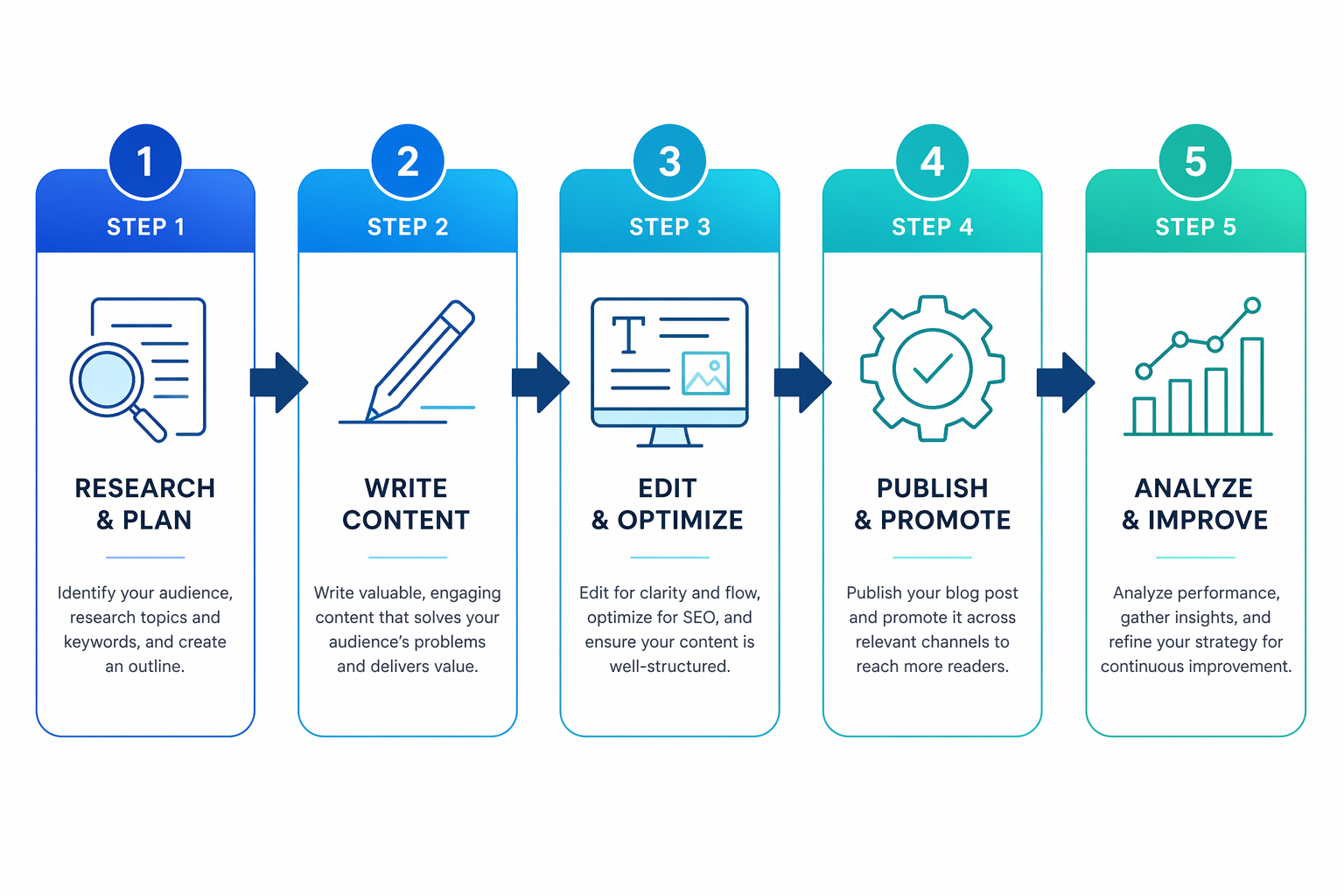
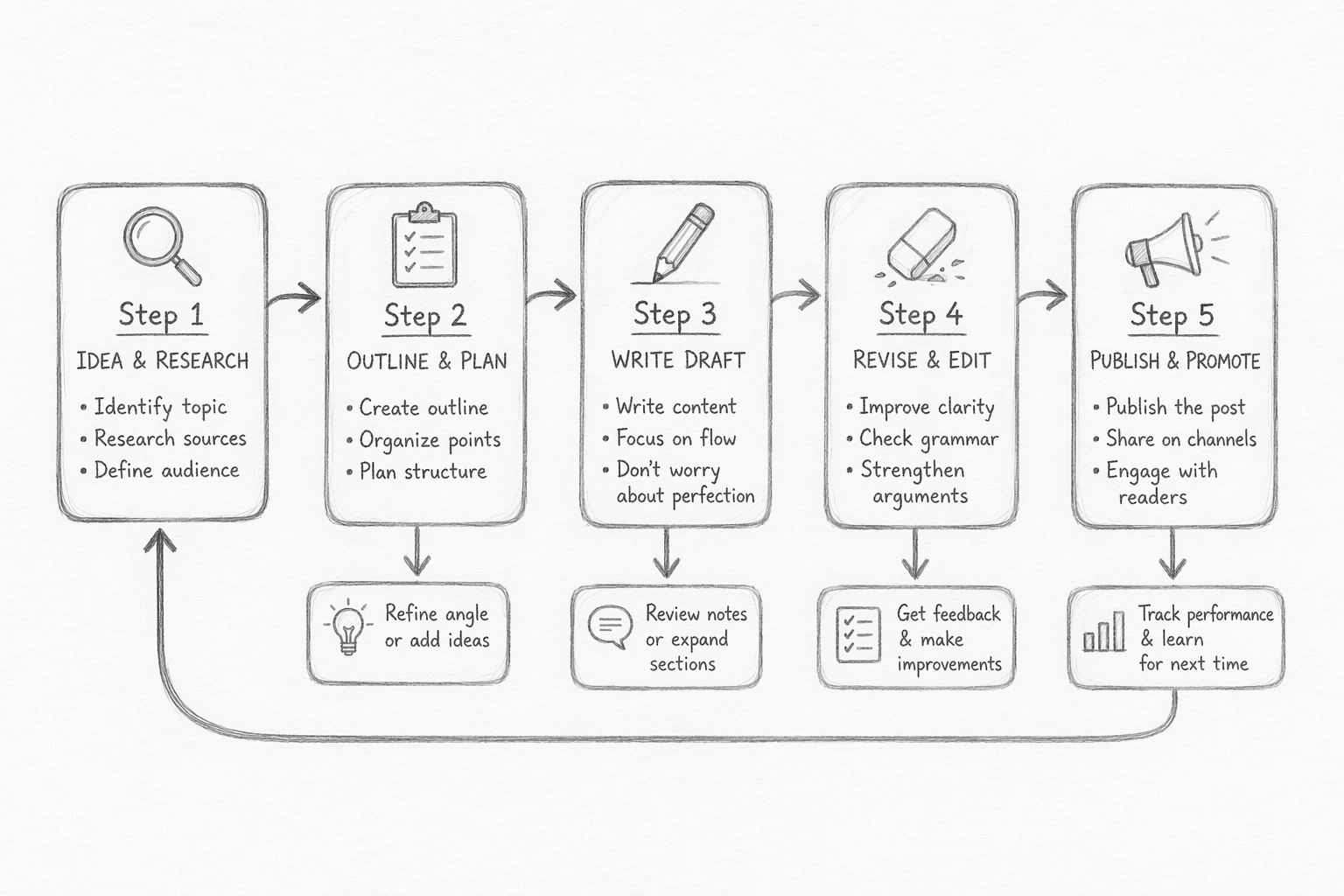
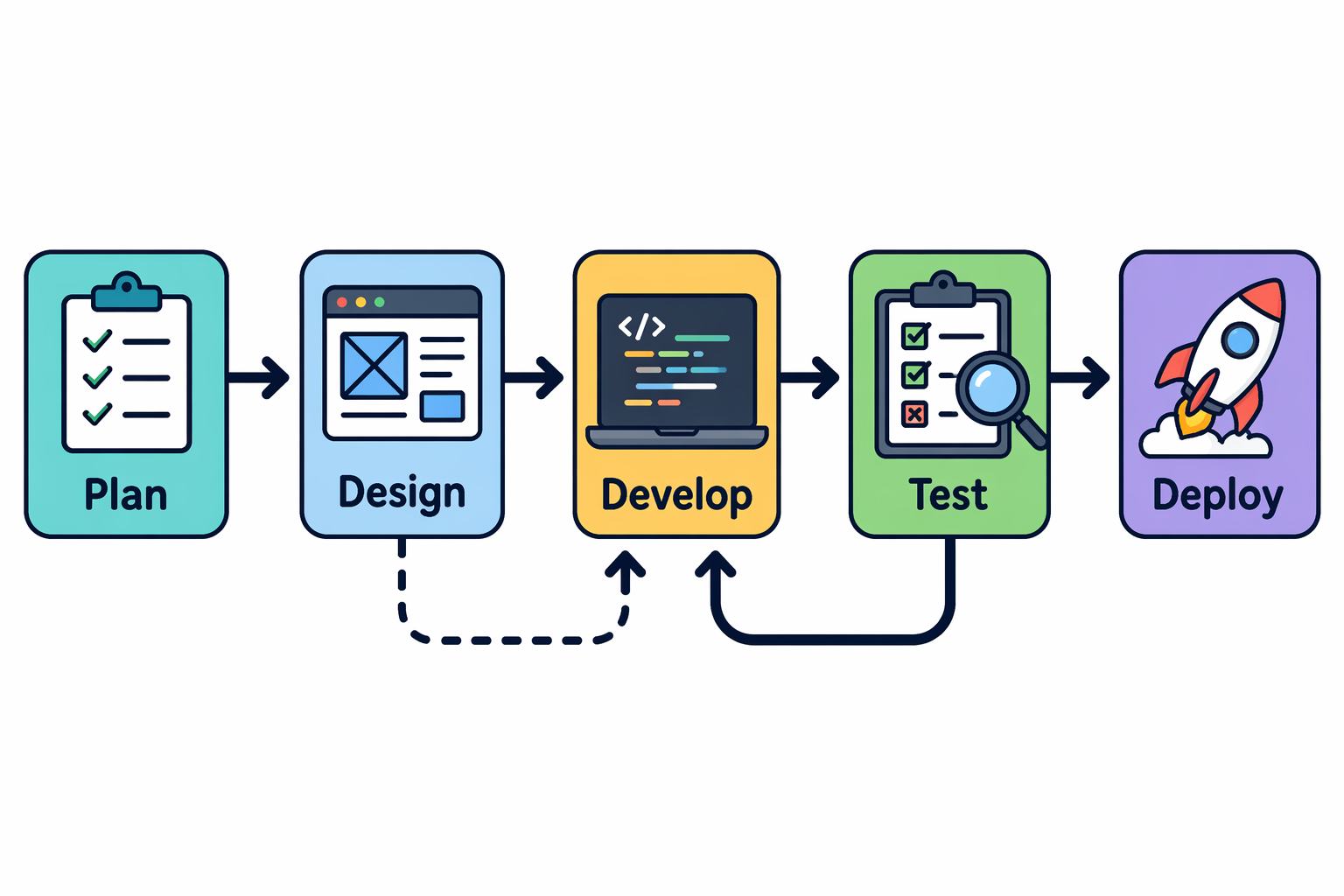
    Workflow diagram illustrating AI content generation process
    Workflow diagram illustrating AI content generation process

    Prompt 1: Generate blog topic angles from one keyword

    Use this when you have a seed keyword but no direction.

    Ask your AI tool:

    • “Give me 10 blog angles for the keyword [KEYWORD].
    • Each angle must have a different promise.
    • Include: beginner guide, mistakes, checklist, comparison, alternatives, templates, case study, cost/ROI, industry specific, myth busting.”

    Then pick 1 primary angle and 2 support angles for your cluster. SnowSEO helps here by showing search volume and difficulty for each variation.

    Prompt 2: Match the blog angle to search intent

    Stop guessing intent. Prompt:

    • “Look at the top ranking pages for [KEYWORD].
    • Tell me the dominant page type and angle: how to, listicle, comparison, definition, or template.
    • Suggest the best angle that matches this intent but goes deeper.”

    Prompt 3: Find a unique angle against competing pages

    You need to stand out, not copy.

    Prompt:

    • “Summarize the top 5 pages for [KEYWORD].
    • List gaps: audiences ignored, formats missing, or data not used.
    • Propose 3 angles that fill those gaps and clearly differentiate my post.”

    Also Read: AI Content Generation: Complete 2026 Strategy Guide

    Prompts for titles, intros, and outlines

    You win or lose clicks on three things: title, intro, and outline. Get these right and even average writing performs way above its weight.

    Use these four prompts in ChatGPT or Claude as part of a repeatable workflow. For a full strategy, link this with your complete guide to AI content generation in your main pillar post.

    Tip: Always paste your target keyword, audience, and rough angle into each prompt. Vague in, vague out.

    Person typing on laptop keyboard
    Person typing on laptop keyboard

    Prompt 4: Create 10 SEO-friendly blog titles

    Steal this prompt:

    “Act as an SEO strategist. Create 10 blog titles for the keyword [KEYWORD].
    Rules:

    • Max 60 characters
    • Keyword near the start
    • Clear benefit or outcome
    • No clickbait
    • Output as a table with columns: Title, Angle, Target Persona.”

    This mirrors the CTR focused formats you see in guides like prodigyaitools.de.

    Use the table to compare which angle fits your funnel stage.

    Prompt 5: Write an intro that matches search intent

    Bad intros tank time-on-page. Use:

    “Write 3 intros (100-130 words each) for the topic [TOPIC].

    • Version 1: beginner ‘what is’ intent
    • Version 2: comparison / ‘best’ intent
    • Version 3: problem / ‘how to fix’ intent
      Each intro must:
    • Use the keyword in the first 50 words
    • State the problem in 1 sentence
    • Promise what the post will deliver in 1 sentence.”

    Compare against top results you find via your SEO tool and tweak the tone.

    Prompt 6: Build an outline with SEO headings

    You want headings that match queries, not your internal doc structure.

    Use:

    “Create a detailed blog outline for [KEYWORD] for [AUDIENCE].
    Requirements:

    • H1, H2, H3 only
    • Each H2 targets a distinct sub-intent
    • Mark any H2 that could win a featured snippet
    • Add 2 bullet points under each H2 with what to cover.”

    This mirrors how strong outlines are built in resources like sureprompts.com.

    Paste this straight into your CMS as the skeleton.

    Prompt 7: Turn one topic into a blog brief

    Skip separate tools for briefs when you can get 80 percent there with one prompt:

    “Create a content brief for a blog on [TOPIC] targeting [KEYWORD] for [AUDIENCE].
    Include:

    • Primary + 5-8 secondary keywords
    • Search intent summary
    • Recommended word count
    • Working title and meta description
    • H2/H3 outline
    • 5 questions to answer
    • 3 internal link angle suggestions.”

    Feed this brief into your AI writer or hand it to a human writer and you have a consistent, scalable workflow.

    Prompts for SEO body copy, snippets, and CTAs

    You already have your outline. Now you need sharp body copy, snippet-ready answers, and CTAs that do not feel desperate.

    Prompt 8: Draft a section that answers one question clearly

    Use this when you want a snippet-friendly block:

    • “Answer this question in 50 to 80 words.
    • Use simple language and one clear takeaway.
    • Put the direct answer in the first two sentences.
    • Format it as a short paragraph, then a 3-bullet list of key points.”

    Think of this as your featured snippet engine.

    Prompt 9: Add internal links naturally

    Try:

    • “Scan this section and suggest 2 internal links.
    • Match anchor text to the topic, not the exact keyword.
    • Place links where readers would want more detail.
    • Keep the sentence readable if the link is removed.”

    Tools like SnowSEO help by suggesting internal link targets that match topical clusters based on your site map and live search data, so you are not guessing where to link next.

    How to use these prompts without getting generic output

    1. Add variables before prompting

    Fill in details before you paste the prompt. Add your niche, product, audience, region, and offer. Swap placeholders like [TOPIC] and [AUDIENCE] with real data from your SEO tool or SnowSEO reports so the model cannot drift into vague advice.

    2. Ask for revisions in stages

    Run prompts in stages: outline, then draft, then edit. After each step, ask for one change at a time. This mirrors the iterative prompt refinement approach described on llmguides.ai, which stresses clear tasks, context, and constraints for better AI outputs.

    Use these prompts in your next content brief, then visit our AI content generation pillar to build a full prompt workflow.
    Homepage
    Homepage

    Plug your topics into SnowSEO, generate optimized blog drafts, then track rankings across search and AI platforms in one place.

    Frequently Asked Questions

    Q1: How often should I reuse these AI blog prompts?

    Use them for every new blog idea. Reuse the same structures, but swap topics, keywords, and audience. Refresh prompts each quarter as search intent shifts. Treat them like templates, not scripts.

    Q2: Which tools work best with these prompts?

    They work well with ChatGPT or Claude. Pair them with an SEO keyword research tool and a content brief template. A platform like SnowSEO then helps you tie prompts back to keywords, audits, and rankings.

    Q3: How do I keep AI blogs from sounding generic?

    Add real examples, numbers, and internal data. Give the AI your brand voice rules. Add your own intro and conclusion. Use AI for first drafts, then edit like crazy.

    Q4: Can these prompts support a full content calendar?

    Yes, if you group prompts by funnel stage. Use intent research in SnowSEO or Surfer SEO, then map prompts to awareness, comparison, and decision posts. One prompt format can fuel many angles.

    Conclusion

    Strong AI prompts make blog writing faster, sharper, and far less painful. The best AI blog writing prompts are specific, not generic. Prompts should follow the blog workflow from angle selection to CTA creation. SEO results improve when prompts include search intent, keyword, and formatting instructions. Reusable prompt templates help teams scale blog production consistently.

  • AI Content Generation: Complete 2026 Strategy Guide

    AI Content Generation: Complete 2026 Strategy Guide

    AI content is everywhere in 2026, but only brands with a real strategy are ranking, getting cited, and converting. Most teams use tools like ChatGPT and Claude to push out more content, yet they still fight the same issues: weak originality, shaky facts, uneven tone, and flat performance in both search results and AI answers. This guide gives you a clear, practical AI content plan for 2026 – what to plan, how to create, how to review, and how to optimize for SEO and GEO without killing quality. It is built for SEO and content teams that need a scalable workflow that still respects E-E-A-T and real editorial standards.

    Quick Summary: The article argues that AI content generation in 2026 only works when it’s run as a system, not as ad hoc prompting, with planning, briefs, editing, publishing, and refreshes all connected into a repeatable workflow. It emphasizes three pillars of success: building topical authority around clear intent, using strong prompt/brand guardrails, and relying on human editors to verify facts, add original insight, and preserve voice. For optimization, it recommends writing in snippet-friendly formats for both SEO and GEO, tracking performance across search and AI assistants, and using a concise quality-control checklist to scale output without sacrificing E-E-A-T or editorial standards.

    What AI content generation means in 2026

    AI content generation in 2026 means systems, not single tools. You are no longer “using an AI writer.” You are running a content engine that plugs into search, AI assistants, and your data stack.

    1. The shift from automation to content systems

    Teams used to fire prompts into ChatGPT and hope for a good draft. That phase is over.

    Now you:

    • Plan topics from keyword and intent data
    • Push briefs into AI
    • Route drafts through human editors
    • Ship, track, and auto-refresh content based on performance
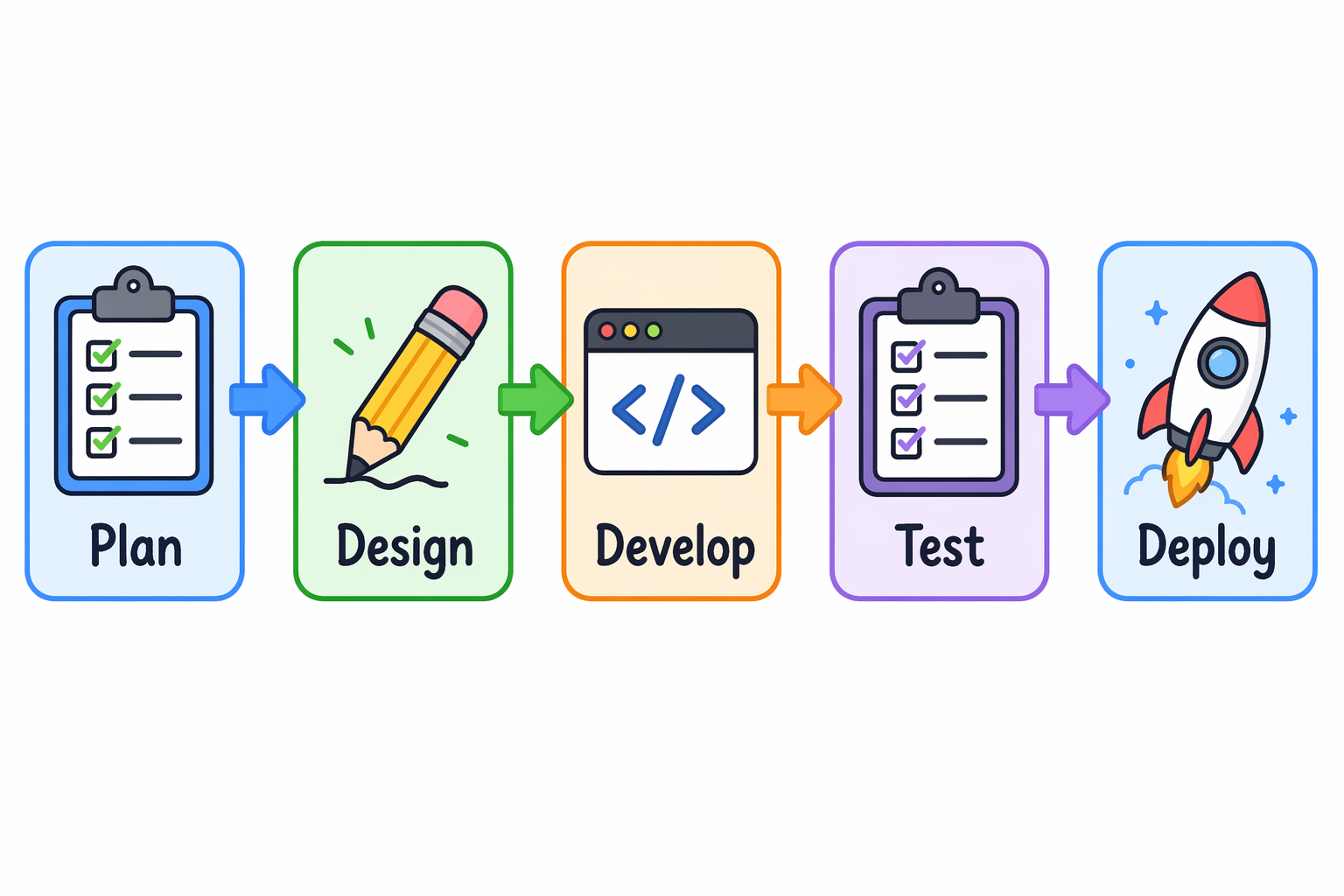
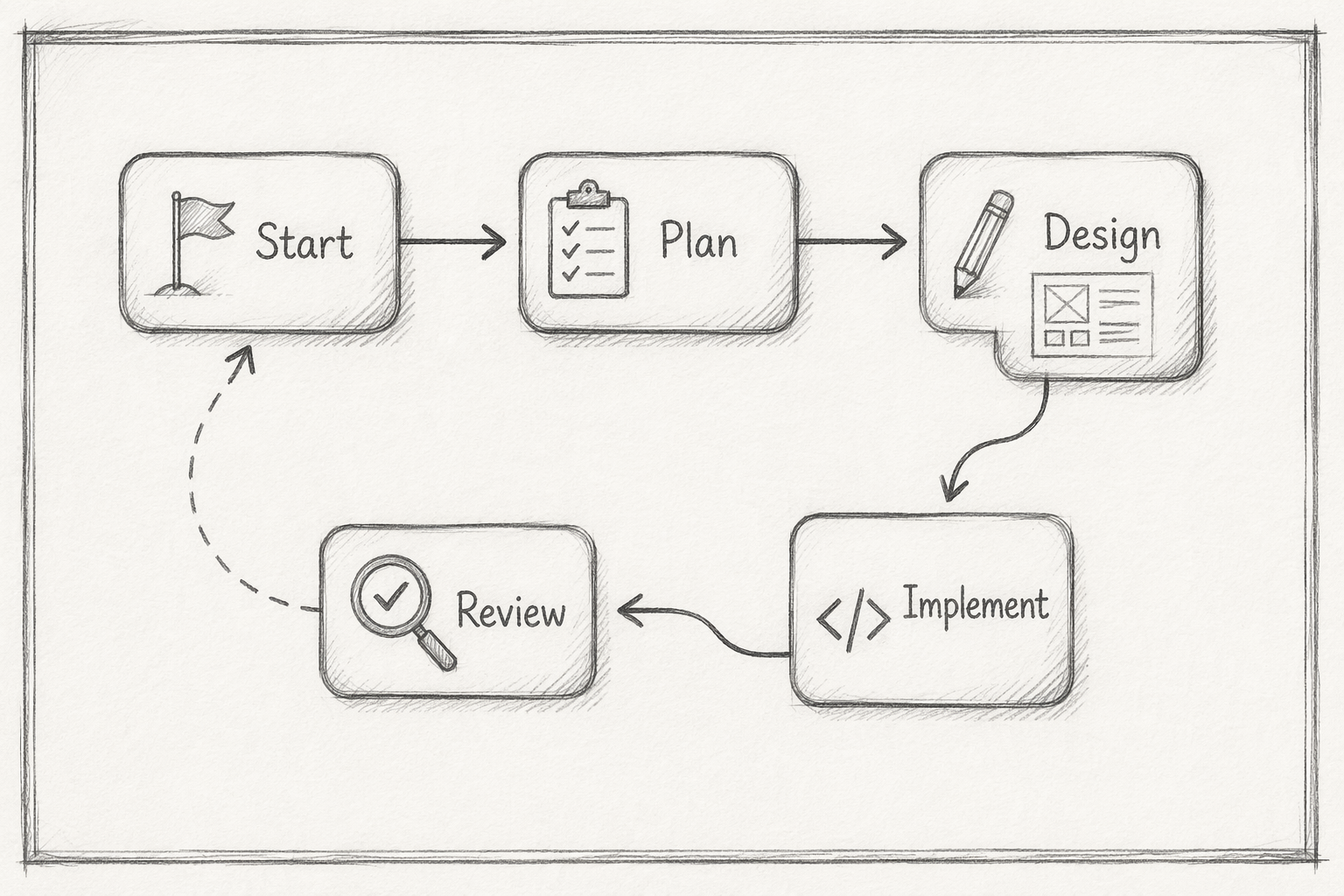
    Pencil sketch of workflow diagram with arrows
    Pencil sketch of workflow diagram with arrows

    Platforms like SnowSEO sit on top of this, turning it into one loop instead of a mess of tools. AI is the worker. The system is the boss.

    2. Where AI fits in marketing and SEO

    AI now lives in every stage:

    • Research: topic discovery, SERP and AI overview analysis
    • Creation: first drafts, variants, translations
    • Optimization: on page SEO, internal links, schema
    • Measurement: content scoring, cannibalization checks, rewrite suggestions

    Your job shifts from “write more” to “design and run the machine.”

    Also Read: AI Content Generation Trends to Watch in 2026

    Core pillars of a winning AI content strategy

    A strong AI content strategy rests on three simple pillars: clear topics, tight prompts, and human judgment. Skip any one and your outputs slide into generic noise.

    1. Start with topical authority and intent mapping

    Pick your lanes. List the themes where you actually deserve to rank. Then map search and AI intent for each: informational, comparison, transactional, post purchase. Tools like SnowSEO or Surfer SEO help you cluster keywords, questions, and AI style prompts into neat topic groups so every piece has a clear job.

    Person outlining strategy on whiteboard
    Person outlining strategy on whiteboard

    Think of this as your content universe. If a new idea does not fit a cluster or serve a clear intent, park it.

    2. Build prompts, briefs, and brand guardrails

    AI only sounds smart when your inputs are sharp. Standardize:

    • Prompt templates by content type
    • Brief formats with audience, angle, CTAs
    • Voice rules, banned phrases, claim standards

    SnowSEO can bake these into reusable brief workflows so every draft starts aligned.

    3. Use human editing as the quality layer

    You need humans to:

    • Check facts and sources
    • Add real examples and opinions
    • Cut fluff and tighten flow

    Treat AI as the rough cut. Treat editors as the final filter that turns decent output into content you are proud to ship.

    Also Read: 7 Proven Strategies for Effective AI Content Generation

    How to optimize AI content for SEO and GEO

    Treat every AI draft as a rough cut, not a final product. Your job is to turn it into something search engines and AI assistants both trust.

    1. Write for snippets, summaries, and AI answers

    Start each section with a direct 1 to 2 sentence answer. Think “mini-summary” that could sit in a featured snippet or AI overview.

    Then:

    • Use question-based H2s and H3s.
    • Add 40 to 60 word definitions under each heading.
    • Rely on short paragraphs, bullets, and tables.
    • Include specific stats and clear examples.

    SnowSEO helps here by structuring briefs and outlines so content naturally fits how Google, ChatGPT, and Gemini extract answers.

    Rule of thumb: if a human can scan it in 5 seconds, an AI can quote it.

    2. Track performance across search and AI platforms

    Do not guess. Measure:

    • Organic rankings and clicks.
    • Featured snippet wins.
    • Mentions in AI Overviews and chat assistants.

    Use one source of truth like SnowSEO instead of ten dashboards. When you see drops in snippets, GEO citations, or CTR, update structure, refresh data, and tighten summaries first.

    Also Read: Top 7 AI Content Generation Tools for 2026

    Best practices for quality control and scaling

    Quality control at scale is about systems, not hero editors. You want a process that still works when you triple volume.

    1. Use a repeatable review checklist

    Create one checklist for all long form content. Keep it short and brutal:

    • Accuracy and sources verified
    • Intent match in the first 3 paragraphs
    • Brand voice and reading level
    • On page SEO and internal links
    • Fact date checks and compliance flags

    Turn that list into a simple form or SnowSEO field set so every writer and editor runs the same checks before publish.

    2. Choose the right workflow for your team

    Copy the four stage model: writer self check, AI review, human edit, final sign off. SnowSEO can handle the AI review and scoring so editors focus only on strategy and nuance, not typos.

    Use this framework to audit your AI content process, then plug it into SnowSEO for tighter prompts, briefs, and review standards.

    Homepage
    Homepage

    Frequently Asked Questions

    Q1: How often should I update my AI content strategy in 2026?

    Review it every quarter. Search trends, AI models, and user intent shift fast. Use your SEO and GEO data to see what works, then adjust prompts, formats, and priority topics.

    Q2: Who should own AI content inside my team?

    Give one owner clear control – usually the content lead or SEO manager. They set standards, choose tools, define prompts, and approve workflows so AI output stays on-brand and aligned with search goals.

    Conclusion

    AI content in 2026 is a strategy, not a shortcut. The teams that win treat models like ChatGPT and SnowSEO as production engines, then layer on human judgment, evidence, and voice. Research on search quality and E‑E‑A‑T from sources like developers.google.com and wikipedia.org all point the same way:

    • Key Takeaways:
    • AI content generation in 2026 works best as a strategy, not a shortcut.
    • Topical authority, human editing, and fact checking are essential for trust and rankings.
    • SEO and GEO should be planned together to maximize visibility across search and AI answers.
    • A repeatable workflow makes it possible to scale content without sacrificing quality.
  • How to Use Profound to Improve Your SEO Keyword Research

    How to Use Profound to Improve Your SEO Keyword Research

    Profound is more than a search platform – it can become a fast keyword research engine if you use its search modes the right way.

    Most SEO teams treat it like a basic search box. They run a few queries, grab a couple of reports, and move on. That habit leaves a lot of long-tail gold buried in the results.

    You need a simple, repeatable workflow.

    This guide walks you through using Profound to:

    • Find smart seed terms
    • Uncover long-tail variants
    • Validate intent with Keywords in Context
    • Turn exports into real keyword clusters

    The process is based on Profound’s documented traditional and AI-powered search features, plus hands-on review tactics that actually support SEO roadmaps.

    Quick Summary: The article explains how to use Profound as a practical SEO keyword research engine instead of just a search box, with a workflow built around high-intent seed terms, filtered searches, and AI-powered discovery. It focuses on three main steps: finding buyer-oriented long-tail variants, using Keywords in Context and Top Matching Sections to infer intent and cluster terms, and then scoring opportunities by intent fit, business value, and effort. A key nuance is that Profound works best when you start with commercial or comparison queries, exclude noise, and validate results against existing content so you can decide whether to update an URL or create a new page. The end goal is to turn exports into a prioritized, brief-ready keyword list rather than a messy spreadsheet of vanity terms.

    Set up Profound for keyword discovery

    You get better Profound data if you set it up with intent in mind, not random keywords.

    1. Choose a seed keyword that matches buyer intent

    Start with a seed that a real buyer would type, not a student.
    Think:

    • “best crm for plumbers” instead of “what is a crm”
    • “b2b seo agency pricing” instead of “seo definition”

    Pull ideas from:

    • Your sales calls and proposals
    • High converting queries in Google Search Console
    • Commercial clusters from tools like tested.media

    Pick 3 to 5 high intent seeds per product line. You want fewer, sharper seeds, not a huge messy list.

    2. Run the first search with filters that reduce noise

    In Profound, drop in one seed at a time.
    Then tighten things up:

    • Choose your main country and language
    • Filter conversation intent to commercial / comparison where possible
    • Exclude obvious support or brand name noise

    This gives you prompts and keywords that match buyers, not random curiosity.

    3. Decide what makes a result worth keeping

    Scan results and keep only prompts or phrases that tick at least two of these:

    • Clear problem or job to be done
    • Mentions a segment you actually sell to
    • Implies money, risk, or switching vendors

    Tag those winners in Profound by journey stage.
    Later, you can mirror the same structure in SnowSEO when you build clusters and briefs.

    Also Read: How to Use Searchable for Advanced Keyword Research

    Use Keywords in Context to extract real SEO signals

    Profound’s Keywords in Context is where keyword research stops being theory and starts being proof. You are not guessing what matters – you are reading how the web actually talks about your topic.

    Highlighted text snippets on a digital screen showing Keyword in Context analysis from Profound
    Highlighted text snippets on digital screen

    1. Find repeated phrases, modifiers, and intent clues

    Drop your seed keyword into Profound and open Keywords in Context.
    Scan 20 to 30 snippets fast.

    Look for:

    • Repeated phrases and entities (brands, tools, locations).
    • Modifiers: “best,” “cheap,” “for beginners,” “vs,” “near me.”
    • Intent clues in verbs: “compare,” “learn,” “buy,” “download.”

    If most snippets say “how to,” you have informational intent. If you see “pricing,” “plans,” “demo,” you have commercial / transactional intent. That intent should decide the page type you build.

    2. Turn snippets into keyword clusters

    Group what you see into mini clusters:

    • Core topic terms
    • Use-case modifiers (industry, role, problem)
    • Stage modifiers (beginner, advanced, checklist, template)

    You are basically doing SERP keyword clustering by hand, like tools described on keywordinsights.ai, but grounded in real text, not just URLs.

    3. Use Top Matching Sections to confirm relevance

    Now switch to Top Matching Sections in Profound.
    Check which on-page sections match those phrases:

    • If headings and copy line up with your clusters, the keyword is a good fit.
    • If they don’t, you are forcing the topic onto the wrong page.

    Use this to decide:

    • Which existing URL should own the cluster
    • When you actually need a new page instead of stuffing more keywords into an old one

    Also Read: 10 Powerful Keyword Research Tools for SEO Success

    Validate and prioritize the keyword opportunities

    You do not need more keywords. You need a hit list. This is where you turn a messy Profound export into a tight, ranked shortlist you can actually execute.

    1. Score each keyword by intent fit and content value

    Create a simple score from 1 to 5 for:

    • Intent fit – Does this keyword match what your product actually solves?
    • Business value – Can this drive leads, trials, or real revenue?
    • Difficulty / effort – How hard is it to rank or own the topic?

    Add a quick formula: Priority score = intent + value – effort. High numbers go to the top. Ignore pure vanity terms, even if the volume looks sexy.

    Printed spreadsheet on a clipboard used for scoring keyword opportunities by intent, value, and effort
    Printed spreadsheet on clipboard for SEO analysis

    2. Look for gaps your current content does not cover

    Match your Profound list against your live URLs. Tag each keyword:

    • Covered and strong
    • Covered but weak
    • Not covered

    You want to focus on “not covered” and “covered but weak” first. That is where new traffic lives.

    3. Export the shortlist into a brief-ready format

    For each high priority keyword, keep:

    • Primary keyword + 3 to 5 support terms
    • Intent label
    • Draft title and angle
    • Target URL type (new page or update)

    Now your Profound work plugs straight into content briefs instead of dying in a spreadsheet.

    Use this workflow on your next seed keyword, then continue to the parent pillar page for the broader AI-assisted keyword research system.

    Screenshot of the SnowSEO.com homepage showing the SEO content optimization platform used to audit gaps and track rankings
    Homepage

    Then plug your Profound insights into SnowSEO to audit gaps, expand clusters, generate briefs, and track rankings across search and AI.

    Frequently Asked Questions

    Q1: How often should I run keyword research in Profound?

    Run a fresh Profound keyword workflow at least once a quarter, or any time you launch a new product, service, or content hub. If you work in a fast moving niche, do it monthly so you catch new queries and keep content briefs aligned with real search language.

    Conclusion

    Treat Profound as a workflow, not a dashboard. Start with structured traditional search, then layer AI-powered discovery to surface natural language queries and hidden long tails. Use Keywords in Context to spot intent, modifiers, and recurring phrase patterns that simple exports miss, echoing how modern search focuses on context over single terms as described by wikipedia.org.

    Cluster related prompts, score them, then turn only the best into focused content briefs.

  • Writesonic Review: AI Content Generation Tested Deeply

    Writesonic Review: AI Content Generation Tested Deeply

    Can Writesonic actually produce SEO content you would trust to publish, or does it just sound polished?

    Most AI content reviews stop at templates and speed. You and your team care about harder things to fake: factual accuracy, real citations, and drafts that do not fall apart in edit.

    This review judges Writesonic through a pure SEO lens, for teams that live and die by accuracy, efficiency, and search performance.

    Quick Summary: Writesonic is presented as a fast, well-structured AI drafting tool that can produce usable SEO first drafts, keyword ideas, and internal link suggestions, but it still needs substantial human editing for voice, depth, and nuance. The review finds it strongest for high-volume SEO teams, agencies, and ecommerce or affiliate publishers that value speed over polished prose, while noting that simple topics may need only 20–30% editing and more complex ones can feel generic. Its biggest caveat is trust: the tool can still hallucinate stats, invent weak claims, and output unreliable citations unless writers fact-check against primary sources and standardize references. It also offers some GEO/AI visibility-friendly formatting, but it is not a full visibility tracking or SEO strategy system, so it works best as a draft engine paired with tools like SnowSEO or Surfer SEO.

    How Writesonic Performs in SEO Content Testing

    1. What the draft quality looked like

    Writesonic’s long form drafts came out fast and very structured. You get clear H2/H3 sections, logical flow, and decent paragraph length right out of the box.

    On simple topics, the content was “good enough” with about 20 to 30 percent human editing. On nuanced SEO topics or opinion pieces, the tone slipped into generic and sometimes repeated ideas. Facts pulled from live web data were usually solid, but we still found occasional shaky stats that needed manual checking, just like in selfmademillennials.com‘s tests.

    Where it struggled most was voice and depth. Even after training with samples, it still sounded like a smart template, not a seasoned strategist. For agencies, that means: good skeleton, but your editor must add blood and personality.

    2. Where it helps SEO workflows

    Writesonic shines as a speed layer in SEO workflows. It:

    • Turns briefs into first drafts in minutes
    • Surfaces related keywords and subtopics from SERPs
    • Suggests internal links when you paste existing URLs

    Used right, it frees your team to focus on:

    1. Strategy and search intent
    2. Fact checking and examples
    3. Conversion focused edits

    For deep audits, long term tracking, and AI visibility, you still need a platform like SnowSEO or Surfer SEO on top of Writesonic’s drafting.

    Also Read: AI Content Generation Trends to Watch in 2026

    Fact-Checking, Citations, and Trust Signals

    AI content only works for SEO if it is both accurate and verifiable. Google’s own E‑E‑A‑T guidance and recent work on AI Overviews make it clear that trust now beats keyword density.

    Person verifying information in sketch
    Person verifying information in sketch

    1. Does it reduce hallucinations and weak claims?

    Writesonic does cut down fluff compared to older AI writers, but it does not remove hallucinations on its own.

    In tests on stats-heavy SEO pieces, it still:

    • Invented data points if you did not paste real numbers into the prompt.
    • Smoothed over uncertainty with vague phrases like “significantly improves results.”

    You need a workflow, not blind trust:

    1. Generate the draft in Writesonic.
    2. Run a manual or team fact-check pass against primary sources.
    3. Store clean, approved stats in a central doc or in a platform like SnowSEO so every article reuses the same numbers.

    Think of Writesonic as a fast junior writer. It speeds things up, but it still needs an editor.

    2. How useful are citations and source references?

    Citations are not a nice-to-have anymore. They are machine signals.

    Research on how LLMs verify facts shows they favor:

    • Short, numeric statements.
    • Linked to stable entities and credible sources like ranktracker.com.

    Google AI Overviews and similar systems cross-check your claims against other sites to assess verifiability and consensus, as outlined in analysis from discoveredlabs.com.

    Writesonic can output “According to…” formats if you prompt it, but you still must:

    • Replace any invented sources with real links.
    • Standardize how you cite: one stat, one clear source, consistent wording.

    Treat every stat in a Writesonic draft as “guilty until proven innocent.” That mindset keeps your content citable by both humans and AI systems.

    Also Read: News Update: Writesonic AI Platform Releases 2026 Features

    AI Search Visibility and GEO Relevance

    1. What matters for AI search visibility

    AI engines do not care about your H1 vanity or word count. They care about clear, citable facts.

    From Writesonic’s own GEO research, AI visibility comes down to a few levers: structured content, entity clarity, external mentions, and data backed claims writesonic.com. That lines up with broader generative SEO advice on treating every page as a data source, not just an article snowseo.com.

    You need to:

    • State crisp definitions and conclusions the model can quote.
    • Use headings, lists, and tables so chunks are easy to parse.
    • Mention your brand and product names explicitly, not vaguely.
    • Back key claims with numbers, sources, and real examples.
    • Earn mentions on third party sites, not just your own blog.

    Think less “rank me for this keyword” and more “make my page the safest snippet to reuse.”

    Pencil sketch of workflow diagram with arrows
    Pencil sketch of workflow diagram with arrows

    2. Does Writesonic help content teams prepare for this shift?

    Writesonic gets you part of the way.

    It is strong at:

    • Fast drafting for GEO and SEO topics.
    • Turning prompts into structured outlines.
    • Generating FAQs, summaries, and list based answers that AI engines like to reuse.

    You still need humans to:

    • Tighten claims.
    • Plug real data and internal insights.
    • Map content to high value prompts and entity strategy.

    Where Writesonic falls short is visibility feedback. It does not natively tell you how often those pages show in ChatGPT, Gemini, or Perplexity answers. You would need a GEO focused layer on top to track citations and share of AI voice.

    Editor style verdict: good content accelerator, not a full AI visibility system.

    Also Read: Top 7 AI Content Generation Tools for 2026

    Final Verdict: Who Should Use Writesonic for SEO Content?

    1. Best fit use cases

    Use Writesonic if you care about SEO volume and speed more than perfect prose. It suits:

    • Content teams publishing 15 to 50+ SEO articles a month
    • Agencies needing an all‑in‑one writer plus basic SEO audits
    • Affiliate and e‑commerce sites churning out comparison guides and product pages
    • Marketers who want early AI visibility tracking without a separate GEO tool

    Pair it with a clear brief, a fact‑checking checklist, and human editing, and it becomes a reliable SEO draft engine.

    2. When to consider alternatives

    Look elsewhere when:

    1. Brand voice is sacred. If every paragraph must sound exactly like your brand, Writesonic’s style controls feel loose.
    2. You already have strong SEO infrastructure. If SnowSEO or Surfer SEO handle your audits, clustering, and rank tracking, you might not need Writesonic’s lighter SEO layer.
    3. Budget is tight or volume is extreme. Per‑article limits get painful if you publish daily or run multiple sites.
    4. You want strategy, not just drafts. Writesonic helps you write; it does not replace a real SEO content strategy.

    Try Writesonic on one SEO article brief, then plug results into SnowSEO to audit, compare, and scale what works.

    Homepage
    Homepage

    Frequently Asked Questions

    Q1: Is Writesonic good enough for SEO content on its own?

    Writesonic can draft solid outlines and first passes, but you still need human editing. Expect to fix search intent, facts, and internal links. Pair it with a proper SEO brief and a rank tracking setup instead of trusting raw output.

    Q2: How should I test Writesonic before my team adopts it?

    Pick 3 to 5 real target keywords. Create clear briefs. Generate content, then compare against your current best pages for rankings, click through rate, and time on page. Involve at least one SEO and one editor in the review.

    Q3: Who should own Writesonic usage in a content team?

    Give ownership to your content lead or SEO manager. They should define when writers use Writesonic, how briefs are created, and what must be checked before publishing. Treat it as an assistant, not a replacement for strategy or editing.

    Q4: What risks do I face if I publish Writesonic drafts as is?

    You risk shallow content, wrong facts, and weak topical coverage. That can hurt trust, backlinks, and rankings. Always run a fact checking pass, expand sections with real expertise, and align each article to a clear SEO goal before it goes live.

    Conclusion

    Writesonic shines when you judge it by draft quality and SEO impact, not shiny features. It speeds up solid first drafts but still needs a human edit. How it cites, sources, and handles facts matters more than its marketing. Its GEO and AI visibility tools make it feel closer to tomorrow’s SEO stack than yesterday’s AI writer.

  • Top 8 Features to Look for in AI Content Generators

    Top 8 Features to Look for in AI Content Generators

    Not all AI content generators are built for search, brand control, or safe publishing. The difference is in the features.
    Many teams pick a tool for speed, then miss SEO controls, fact checks, and workflow guardrails.
    This guide breaks down the 8 features that matter most so you can score tools with an SEO first checklist, built for teams that care about scale and brand governance.

    Quick Summary: The article argues that AI content generators should be judged less by how much they can produce and more by how well they support SEO, brand safety, and workflow efficiency. It highlights eight must-have features: advanced SEO guidance beyond keywords, brand voice controls, fact checking and source transparency, plagiarism safeguards, workflow integration, template flexibility, editing/refinement tools, and analytics tied to content performance. It also warns that weak tools create generic, risky content that requires extensive rewrites, and recommends demo testing at least three platforms with a simple scorecard focused on fit, usability, integration, pricing, and support.

    Why feature quality matters more than raw output

    You do not need more content. You need better content.

    Low quality AI tools chase volume. They brag about “1,000 articles per month” and ignore whether any of it ranks or converts. That is how teams end up with bloated blogs, thin pages, and frustrated readers.

    1. What weak tools usually get wrong

    Weak tools:

    • Repeat generic tips you have seen 100 times
    • Ignore search intent and user needs
    • Stuff keywords instead of adding insight
    • Break brand voice and tone
    • Ship drafts that need full rewrites

    You pay twice: once for the tool, once to fix its work.

    2. What strong tools help you achieve

    Strong tools:

    • Match topics to real demand and keywords
    • Shape clear outlines that cover a topic fully
    • Keep tone and brand voice tight
    • Suggest internal links and structure for SEO
    • Flag gaps where a human should add examples

    SnowSEO sits here. It optimizes each piece so every published page has a job, not just a word count.

    Also Read: Why Does llmpulse Lead in AI Content Generation?

    The 8 features that matter most

    You are not shopping for a toy. You are picking part of your traffic engine. These are the features that actually move rankings, GEO visibility, and revenue.

    1. SEO guidance that goes beyond keywords

    Look for tools that coach you on entities, structure, and internal links, not just keyword density.

    Strong AI generators should:

    • Suggest entities and topics to cover
    • Flag schema and internal link gaps
    • Map content into your topic clusters

    SnowSEO leans into this by tying AI drafts to your broader SEO and Generative Engine Optimization plan, not a single page.

    Cartoon workflow diagram with directional arrows
    Cartoon workflow diagram with directional arrows

    2. Brand voice controls

    If everything sounds like a bland Wikipedia remix, you lose.

    Your AI tool needs:

    • Brand voice profiles you can save and reuse
    • Style sliders for tone, formality, and point of view
    • The option to paste examples and train on them

    You want an editor who says “we do not talk like that”, not a neutral robot.

    3. Fact checking and source transparency

    AI will lie if you let it.

    Pick tools that:

    • Highlight claims and stats for review
    • Suggest sources or link out for verification
    • Make it clear what came from where

    Use them like a junior writer. You still own the last pass and the legal risk.

    4. Plagiarism and originality safeguards

    You cannot afford a copy paste mess.

    Your stack should:

    • Run built in plagiarism checks
    • Encourage unique angles, examples, and data
    • Support human notes and case studies inside drafts

    Guardrails keep you on the right side of both Google and your lawyer.

    5. Workflow integration

    Your AI writer should sit inside your workflow, not in a separate universe.

    Look for:

    • Direct links to your CMS and task tools
    • Support for briefs, approvals, and version history
    • Easy handoff between strategist, writer, and editor

    SnowSEO and Surfer SEO both treat AI as part of an SEO pipeline, not a one off generator.

    6. Template flexibility

    You need reusable patterns, not constant reinvention.

    Useful templates include:

    • Blog outlines tied to specific intents
    • Product and category page layouts
    • Email, ad, and landing page frameworks

    You should be able to tweak once and roll out everywhere.

    7. Editing and refinement controls

    Real teams rewrite. A lot.

    Your tool must let you:

    • Regenerate sections, not full drafts
    • Shorten, expand, or change tone on demand
    • Lock key paragraphs so the AI cannot overwrite them

    Think “power assistant” sitting inside your editor, not a black box.

    8. Analytics and content performance feedback

    You cannot improve what you do not measure.

    Best in class platforms:

    • Tie drafts to live rankings and traffic
    • Show which templates and tones perform
    • Feed winners back into your prompts and briefs

    An AI content generator without feedback is just gambling with nicer UI.

    Also Read: AI Content Generation Trends to Watch in 2026

    How to evaluate tools before you buy

    You do not need another shiny AI toy. You need a tool that earns its keep.

    Questions to ask in a demo

    Skip the fluff. Ask:

    • What exact task does this replace for my team?
    • How long did that task take in your real customer case?
    • Can I test this with my own data in a trial?
    • How do you handle data export if I cancel?
    Pencil sketch of printed scorecard on desk
    Pencil sketch of printed scorecard on desk

    Simple scorecard for comparison

    Score each tool 1-5 on:

    • Problem fit
    • Learning curve
    • Workflow integration
    • Pricing clarity
    • Support quality

    Add the scores. Anything under 15 is a no. Use the same scorecard when you compare SnowSEO with options like Surfer SEO so you make a clean, defensible call.

    Also Read: 7 Proven Strategies for Effective AI Content Generation

    Final take: choose features that reduce risk and improve output

    Pick features that make bad content hard and good content easy.

    Focus on tools that:

    • Protect brand voice and compliance
    • Track rankings and AI visibility
    • Flag factual or tone issues before publish
    • Support approvals, roles, and audit logs

    If one platform can do this in one place, even better. SnowSEO fits that role for teams that care about both safety and scale.

    Also Read: Top 7 AI Content Generation Tools for 2026

    Use this checklist to review your AI tool, then compare it inside SnowSEO and upgrade your entire content engine.

    Homepage
    Homepage

    Frequently Asked Questions

    Q1: How many AI tools should I test before choosing one?

    Test at least 3 tools side by side. Use a simple scorecard to compare SEO control, brand voice, workflows, and safety. Pick the tool your team actually uses in a real sprint, not just the one with flashy demos.

    Conclusion

    Pick AI content generators that actually move the needle. The best features sharpen search relevance, protect brand voice, and keep publishing safe. Prioritize SEO guidance, strong brand voice controls, fact-checking, plagiarism protection, and clean workflow integration. Research on AI content quality from wikipedia.org and practical reviews like aiapps.com back this up. A simple demo scorecard keeps every vendor honest.

  • Why Surfer SEO Dominates Rank Tracking Market Today

    Why Surfer SEO Dominates Rank Tracking Market Today

    Surfer SEO is no longer just a content tool. In 2026, many teams judge it as a rank tracking system first.

    Most rank trackers still spit out positions and call it a day. They ignore what shifts mean in a world of AI answers, SERP chaos, and weekly report stress.

    This article explains why Surfer SEO rank tracking is winning. You will see the key features, AI visibility angles, and workflows that real SEO teams now expect.

    Quick Summary: Surfer SEO is portrayed as the leading rank tracking tool in 2026 because it goes beyond simple position reporting and turns tracking into an actionable workflow. The article highlights its strongest advantages: daily keyword monitoring with momentum views, visibility reporting tied to content changes, and an integrated stack that connects Rank Tracker, Content Editor, Topical Map, Sites, and AI Tracker. It argues that Surfer’s biggest edge over traditional trackers is its ability to account for AI search, SERP features, and competitor movement, while warning buyers to prioritize accuracy, workflow fit, and future-proofing rather than feature overload.

    Why Surfer SEO is winning the rank tracking conversation in 2026

    Rank tracking is not about pretty graphs anymore. It is about who gives SEOs signals they can act on fast. That is where Surfer SEO is pulling ahead.

    1. From rank positions to decision-making signals

    Most tools still answer one question: “What position am I in?”

    Surfer goes further and answers:

    • “Why did this move?”
    • “What should I change this week?”
    • “How does this affect AI answers?”

    Its stack connects:

    • AI Tracker for visibility in ChatGPT, Gemini, and AI Overviews
    • Content Editor to fix pages that lost ground
    • Topical Map to find topics that can win fast

    So rank tracking becomes a workflow: monitor, diagnose, act, and ship changes. That is why agencies keep talking about it.

    2. Why AI search changed the ranking game

    AI Overviews and assistants now sit between users and your site. Surfer saw this early and built tracking for:

    • Prompt coverage
    • Citation share in AI answers
    • Sentiment and mention gaps in LLM results

    Traditional rank trackers only show blue-link shifts. Surfer ties Google rankings to AI visibility, so teams see the full picture and know where to focus next.

    Also Read: Searchable vs Surfer SEO: Best Rank Tracking Platforms

    The Surfer SEO features that matter most to SEO teams

    Surfer SEO wins with SEOs because it cuts out busywork. It gives you the 3 things teams care about most: clear priorities, clean reporting, and a workflow that does not fight how you work.

    Pencil sketch of rank tracking dashboard
    Pencil sketch of rank tracking dashboard

    1. Keyword tracking that supports prioritization

    Surfer’s Rank Tracker focuses on the keywords that matter, not every random long tail. It auto-pulls main keywords from your top pages and tracks them daily with position change columns (1d, 7d, 30d) so you see momentum, not just snapshots docs.surferseo.com.

    That lets you:

    • Spot pages on the edge of page one and push them.
    • Ignore low-value phrases that will never move the needle.
    • See where competitors are gaining or dropping around you.

    For most teams, that shift from “all keywords” to “impact keywords” is the real upgrade.

    2. Visibility reporting for faster stakeholder updates

    Leaders do not want raw rank dumps. They want a simple story.

    Surfer’s Sites dashboard ties keyword data to traffic, content changes, and timing, so you can say “we refreshed these pages, then clicks went up here” without 10 spreadsheets surferseo.com.

    You get:

    • Clear domain health at a glance.
    • Context around updates and content launches.
    • Easy screenshots for decks and async updates.

    3. Team workflow fit across SEO and content operations

    Surfer was built for teams, not solo SEOs. Research, Content Editor, Content Audit, Rank Tracker, Sites, and AI Tracker all live in one stack, with shared projects and user roles.

    That matters when:

    • Strategists pick topics and priorities.
    • Writers draft in Content Editor with live guidelines.
    • SEOs monitor ranks and AI visibility in AI Tracker.
    • Managers track outcomes in Sites.

    If you already run a broader AI search stack with tools like SnowSEO, Surfer slots in well as the rank and visibility layer that keeps everyone aligned on what is actually working.

    Also Read: 10 Essential Tips for Accurate Rank Tracking Metrics

    Where Surfer SEO outperforms traditional rank trackers

    1. Static ranking reports versus live market context

    Most rank trackers just say: “You are position 12 today.” Useful, but shallow.

    Surfer SEO goes further. Its Rank Tracker pulls daily positions, SERP features, and competitor moves in one view, as outlined in their own docs at docs.surferseo.com.

    You see:

    • Who gained or lost positions over 1, 7, and 30 days
    • Which competitors own snippets, local packs, or videos
    • How your whole domain performs, not only one URL

    So you are not staring at static numbers. You are reading the story of the market and where you are slipping or winning.

    Team collaborating in meeting room
    Team collaborating in meeting room

    2. Why teams value fewer tools and cleaner workflows

    Agencies hate bouncing between five dashboards. Surfer SEO keeps tracking, content insights, and AI visibility (with AI Tracker) in one stack, similar to how SnowSEO unifies classic SEO with AI search monitoring, which matters as AI search grows fast according to surferstack.com.

    Fewer tools means:

    • Cleaner reporting to clients
    • Less training for new hires
    • Less copy paste between apps

    You get one workflow: track, understand, act. Not “export, merge, pray.”

    Also Read: 5 Best Rank Tracking Tools to Boost Your SEO Results

    What to look for before choosing a rank tracking tool in 2026

    You do not need 20 features. You need clean data you can trust.

    The three checks that matter most

    1. Accuracy and freshness
      Pick tools with daily or on-demand checks and proven local accuracy. Old data leads to bad calls.

    2. Workflow fit
      Check if it plugs into GA4, Search Console, and your reporting stack. If it adds manual work, skip it.

    3. Future proofing
      Search is now AI driven. Prefer tools, like SnowSEO, that track both classic SERPs and AI answers.

    If you are evaluating rank tracking software for SEO teams, compare Surfer SEO against your workflow, then trial SnowSEO to automate AI-aware visibility.

    Homepage
    Homepage

    Frequently Asked Questions

    Q1: Is Surfer SEO only for big SEO teams?

    No. Solo consultants, small agencies, and in-house teams can all use it. Larger teams just get more value from shared dashboards, automated reports, and workflows. If you manage more than a few sites or many keywords, Surfer SEO starts to feel almost required.

    Q2: How often should I check Surfer SEO rank tracking?

    Check key projects weekly. Check high-priority launches or campaigns daily. Set alerts for sharp drops so you do not stare at graphs all day. Let the tool watch rankings while you focus on fixes, content, and strategy.

    Q3: Do I still need a separate rank tracker if I use Surfer SEO?

    Usually no. Surfer SEO covers rank tracking, visibility, and content insights in one place. Some advanced teams still keep a backup tracker for second opinions or special markets. Most users find one strong source of truth easier and safer for reporting.

    Q4: How is Surfer SEO different from platforms like SnowSEO?

    Surfer SEO is strong on rank tracking plus on-page content optimization. SnowSEO focuses more on full search and AI visibility in one stack. If you care most about keyword positions and content tweaks, Surfer SEO fits. If you want one hub for SEO plus AI ranking, SnowSEO can make more sense.

    Conclusion

    Surfer SEO is winning rank tracking because it supports modern SEO decisions, not just position charts.

    AI search and volatile SERPs changed what teams expect from tracking. Tools now need to explain why things move and what to do next.

    Agencies and in‑house teams pick Surfer for clear workflows and fast reporting. The best tools in 2026 help you react quickly to visibility shifts across classic and AI‑driven search.

  • How to Get Started with Powerful SEO Platforms in 2026

    How to Get Started with Powerful SEO Platforms in 2026

    Choosing the best SEO platform in 2026 is no longer just about keyword research and rank tracking – it is about finding a system that can support audits, AI workflows, and faster decision-making.

    Many teams waste time on SEO software that is too basic for growth or so complex that no one sets it up right. Most of the powerful features sit unused.

    This guide gives you a clear plan. You will see how to choose the right platform, what to set up first, which 2026 features actually matter, and how to get quick wins.

    It is built for SEO teams, agencies, and business owners who want a practical framework, not vague tool lists.

    Quick Summary: The article argues that choosing an SEO platform in 2026 is a strategy decision centered on combining core SEO basics with newer AI-era capabilities, not just keyword research and rank tracking. It says the best tools should handle reliable keyword clustering, technical audits, content briefs, cross-channel rank tracking, and visibility in AI answers from systems like ChatGPT and Claude, while also fitting the needs of solo users, in-house teams, or agencies. The guide stresses that proper setup is crucial: connect Google Search Console, GA4, and your CMS first, build one simple dashboard, and run an initial audit to uncover quick wins. It also warns against overbuying software or skipping implementation planning, since even powerful platforms deliver little value if the team does not actually use them.

    What to look for in the best SEO platform in 2026

    1. Core features that matter most

    Focus on platforms that nail the basics first. You need:

    • Reliable keyword research and clustering
    • Technical audits with clear fixes
    • Rank tracking across web and AI results
    • Content briefs and on-page suggestions

    If a tool cannot give clean data and simple actions, skip it. SnowSEO, Surfer SEO, or similar suites should at least cover these core jobs in one place.

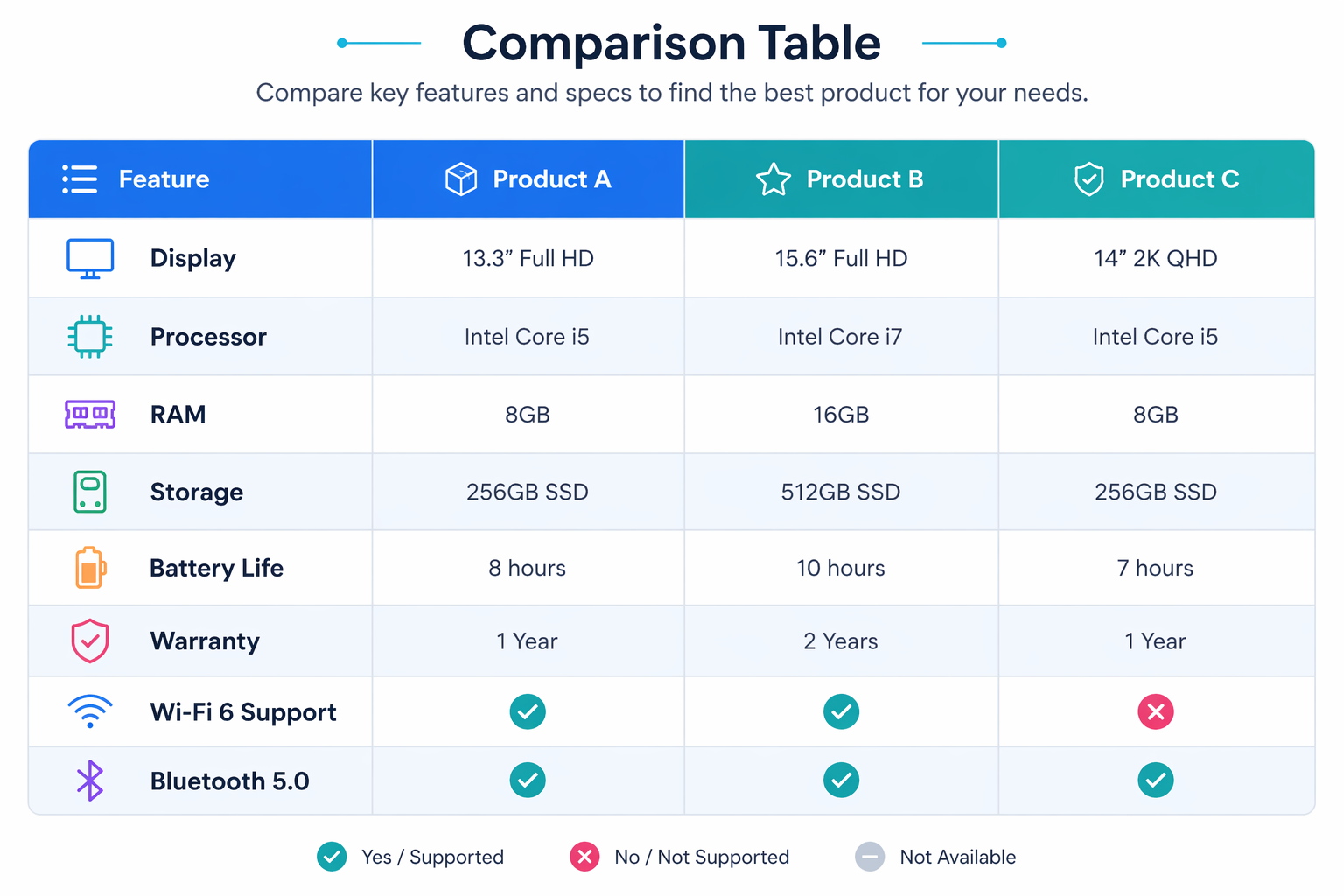
    Pencil sketch of SEO platform comparison table
    Pencil sketch of SEO platform comparison table

    2. 2026 features you should not ignore

    AI search is now part of SEO, not a side project. Look for:

    • Visibility tracking in ChatGPT, Claude, and other LLMs
    • Generative Engine Optimization features, not just classic SEO
    • Competitor gap analysis across both Google and AI answers

    Platforms like SnowSEO and PromptWatch lean into this dual view: SERPs plus AI responses in a single dashboard.

    3. How to choose based on your team size

    • Solo / small business: Pick one all-in-one tool. You do not have time to glue five tools together.
    • In-house team: Prioritize workflow, roles, and reporting. You need handoffs and history.
    • Agencies: You need multi-domain management, templates, and white-label style reports.

    If a platform cannot match your team structure, it will gather dust.

    Also Read: Surfer SEO Platform Review: Pros and Cons Explored

    How to set up your SEO platform the right way

    Set the platform up right and everything else gets easier. Rush it and your data lies to you for months.

    1. Connect the right data sources first

    Start with the sources that show real user behavior:

    • Google Search Console for queries, clicks, and rankings
    • Google Analytics 4 for sessions and conversions
    • Your CMS (WordPress, Shopify, Webflow, etc.) for publishing

    In SnowSEO, connect these inside your Brand settings so the platform pulls live search and traffic data, not random estimates. Make sure the right GA4 property and correct GSC domain are linked before you touch any reports.

    Person analyzing data on multiple screens
    Person analyzing data on multiple screens

    2. Build your first tracking dashboard

    Create one simple dashboard before you build ten fancy ones. Include:

    • Total organic clicks and impressions
    • Organic conversions or leads
    • Ranked keywords and average position
    • AI visibility or GEO metrics if your platform supports it

    In SnowSEO, the Overview page already combines these, so you can use it as your default weekly control panel.

    3. Run the first audit and quick wins report

    Run a full site audit on day one. Use the first report to:

    • Fix critical crawl and speed issues
    • Patch broken links and redirect chains
    • Tidy missing titles and meta descriptions

    Focus on items that touch many URLs and can be fixed in one sprint. That first round of fixes often brings your first visible ranking lift.

    Also Read: 5 Best Rank Tracking Tools to Boost Your SEO Results

    Which platform features deliver the fastest ROI

    You get ROI fast when a platform kills busywork, spots quick wins, and proves results without extra work.

    1. Automation that saves time

    Look for features that run on their own:

    • Automatic audits with clear fixes
    • Rank tracking and alerting
    • Auto content briefs or drafts

    SnowSEO stands out here because it links audits, keyword data, AI content, and publishing in one loop. Less clicking, more output.

    2. Competitive analysis and content support

    You want tools that:

    • Show keywords competitors rank for
    • Reveal content gaps on your site
    • Suggest pages to update first

    This is where fast wins come from: update one page, see lifts in weeks, not months.

    3. Reporting that proves value

    Reporting should be instant, not a half day in spreadsheets:

    • Prebuilt dashboards
    • Client ready summaries
    • Clear “what changed and why” views

    If a platform cannot show impact in one screen, it will slow your ROI.

    Also Read: Deep Dive: Profound SEO Platform Features Reviewed

    Common mistakes to avoid when choosing SEO software

    1. Buying too much, too soon

    Teams often grab the biggest, flashiest platform first. Then they use 10 percent of it.
    Start with your real weekly work, not a wish list. List core tasks, then pick the smallest plan that covers them.
    You can always upgrade later. Downgrading or switching tools is painful.
    All in one tools like SnowSEO work best when you actually use most of the workflow, from research to reporting.

    2. Skipping implementation planning

    Buying the tool is the easy part. Using it is the hard part.
    Assign an owner, define success metrics, and plan your first 30 days.
    Connect GA4, Search Console, and your CMS in week one.
    If you do not bake the tool into your process, it turns into an expensive dashboard no one opens.

    Choose one platform, start a trial, and use your setup checklist this week. Then let SnowSEO automate audits, content, and rank tracking.

    Homepage
    Homepage

    Frequently Asked Questions

    Q1: How many SEO platforms should I use to start in 2026?

    Start with one main platform. Add Google Search Console and Google Analytics as your free base stack. Use a trial from a tool like SnowSEO to see if it fits. Only add more tools when you feel a clear gap.

    Q2: How do I know if my SEO platform setup is working?

    Check 3 things weekly: keyword rankings, organic traffic, and conversions. Look for early wins like more impressions on new pages. If nothing moves after 4 to 6 weeks, fix tracking, review your content, and adjust keywords.

    Q3: What is the first dashboard I should build?

    Create one dashboard that shows: key rankings, organic sessions, top landing pages, and conversions. Pull data from your SEO platform and Google Analytics. If you use SnowSEO, start with its rank tracking and content performance widgets.

    Q4: Who should own the SEO platform in a small business?

    Give ownership to one person: usually the marketing lead or founder. They manage logins, reports, and tasks. Other people can help with content and dev changes, but one owner keeps the roadmap and checks the numbers each week.

    Conclusion

    Picking an SEO platform in 2026 is a strategy call, not a shopping trip.

    The best tools now blend technical audits, keyword research, rank tracking, and AI-assisted workflows so you can move fast, not just stare at data. Fast setup matters as much as fancy features, because unused features do nothing for revenue. The real win is fit: match the platform to your goals, your team size, and the reporting depth you actually need.

  • Searchable vs Surfer SEO: Best Rank Tracking Platforms

    Searchable vs Surfer SEO: Best Rank Tracking Platforms

    If your team needs a rank tracking software decision, the real question is not which tool is louder in marketing – it is which platform gives you clearer SERP movement, cleaner reporting, and less manual work every week.

    Most comparison pages blur content optimization and rank tracking together, so agencies and in-house teams cannot tell which is the better rank tracker for real monitoring and reporting.

    This guide breaks down Searchable vs Surfer SEO on workflow, reporting depth, team usability, and fit, built for U.S.-based SEO teams that need a practical, commercial comparison.

    Quick Summary: The article compares Searchable and Surfer SEO as rank-tracking platforms, but argues they serve different primary needs: Searchable is better for monitoring AI visibility in tools like ChatGPT, Perplexity, and AI Overviews, while Surfer SEO is stronger for traditional Google keyword rankings and on-page content optimization. It breaks the comparison into tracking depth, reporting, and workflow automation, noting that Surfer’s rank tracker is useful but still centered on content workflows, whereas Searchable offers simpler dashboards and clearer visibility trends for teams focused on AI mentions and classic SERP movement. A key nuance is that neither tool fully covers everything: Searchable is lighter on deep SEO execution, Surfer lacks true AI rank tracking, and teams wanting both search and AI visibility may need a broader platform like SnowSEO.

    Searchable vs Surfer SEO for rank tracking: the real decision

    You are not picking “the best tool.” You are picking the best fit for how you work.

    1. What Searchable is better at for rank monitoring

    Use Searchable if you care about how you “rank” in AI answers, not just Google.

    It tracks:

    • Where your brand shows in ChatGPT, Perplexity, and AI Overviews
    • Which prompts mention you vs competitors
    • Basic trends over time in AI visibility

    Think of it as AI rank tracking light. You see if AI tools talk about you at all, and if that is getting better or worse. It does not give deep crawler logs or traffic attribution like higher end GEO tools, but it is a cleaner view than juggling screenshots.

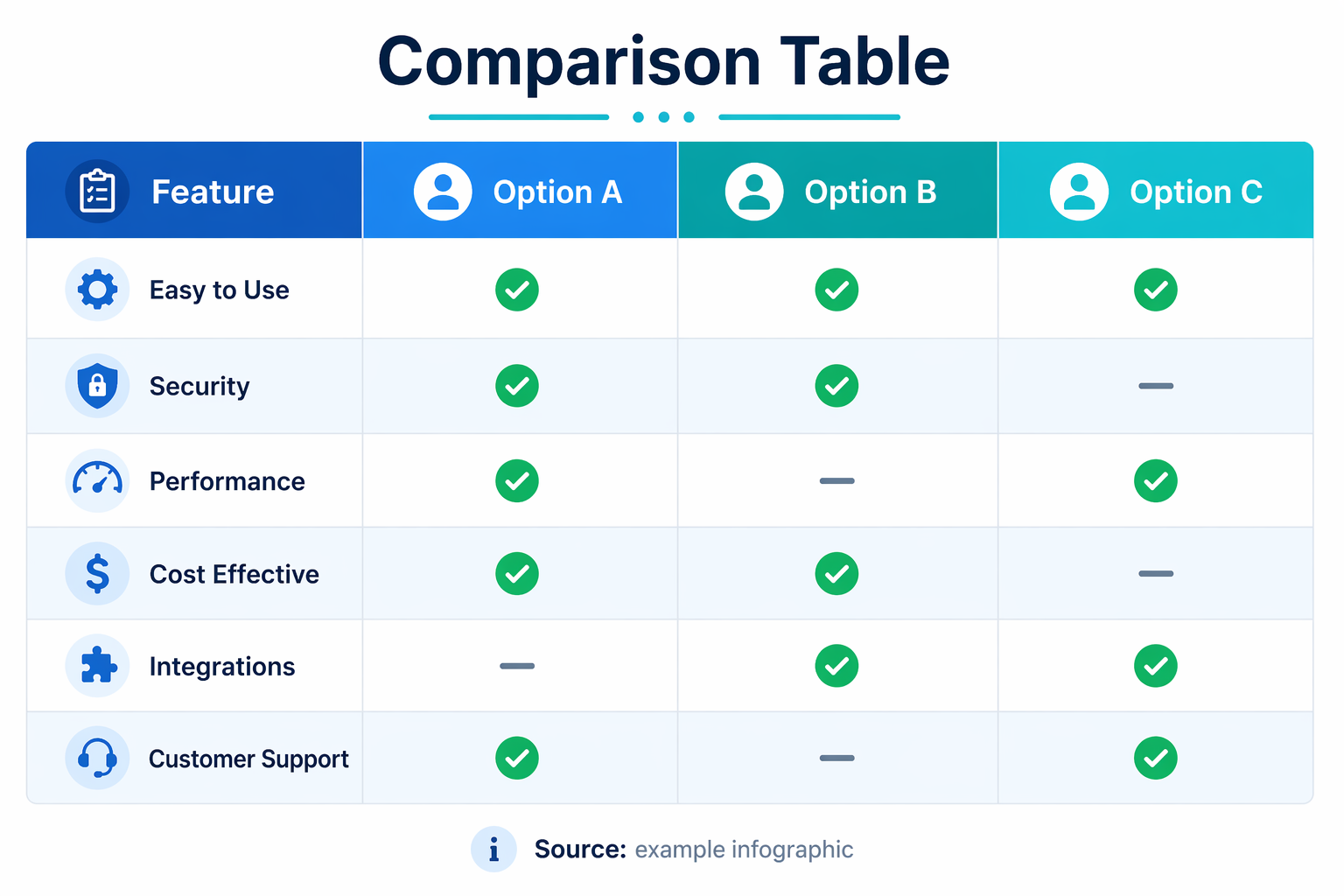
    Comparison table of SEO rank tracking features
    Comparison table of SEO rank tracking features

    2. Where Surfer SEO still fits

    Use Surfer SEO if classic SEO rankings are your main KPI.

    Surfer shines when you:

    • Need on-page optimization to move positions in Google
    • Want content scores inside an editor for writers
    • Care about “position 3 to 1” more than “does ChatGPT cite us”

    Surfer does not do real AI rank tracking. Its core is still Google SERP optimization as many reviews note.

    3. Quick verdict by team type

    • Content and SEO teams focused on Google: Pick Surfer SEO.
    • Teams testing AI visibility alongside SEO: Searchable is a better rank monitor.
    • Teams who want both in one place: A platform like SnowSEO makes more sense than juggling tools.

    Also Read: 10 Essential Tips for Accurate Rank Tracking Metrics

    Feature-by-feature comparison for rank tracking workflows

    1. Tracking depth and keyword coverage

    Start with one question: how many things do you actually need to track?

    For classic SEO, you care about:

    • Keywords and URL positions
    • Device and location
    • Competitors on those terms

    For AI visibility, you also care about:

    • Prompts and brand mentions
    • Citations and sources AI uses

    Surfer SEO leans hard into keyword and on-page signals. It is great if your main job is content-led Google SEO and you only need light AI tracking on top.

    SnowSEO goes wider. You can:

    • Track keywords, URLs, and prompts in one place
    • See how you show up on Google and AI engines in the same workflow
    • Pull in competitor gaps, then send them straight into content creation

    PromptWatch goes deepest on AI-only prompts and citations, but it skips classic rank tracking, so you will still need another tool for SERPs.

    SEO dashboard displayed on laptop screen
    SEO dashboard displayed on laptop screen

    2. Reporting and client visibility

    Agencies and in-house teams need reports that a non-SEO can read in 2 minutes.

    Surfer SEO offers clean content reports but they tilt toward writers, not executives. PromptWatch focuses on AI visibility graphs and prompt analytics.

    SnowSEO tries to sit in the middle:

    • Simple summary for clients: wins, losses, and new opportunities
    • Side-by-side search vs AI visibility for the same topics
    • Client-ready PDFs and live dashboards without extra setup

    You spend less time exporting CSVs and more time pointing at clear before / after charts.

    3. Alerts, refresh cadence, and workflow automation

    Rank tracking is useless if it is always out of date.

    Key knobs you should look at:

    • Refresh cadence – daily vs weekly updates
    • Alert logic – big drops, new AI mentions, new competitors
    • What happens after the alert

    Surfer SEO and PromptWatch both give solid alerts but push the work back to you. You still have to brief writers, assign tasks, and publish.

    SnowSEO closes that loop:

    1. Detects drops or gaps in search or AI answers
    2. Suggests content to fix them
    3. Can draft, schedule, and publish posts to your CMS

    If you run a lean team or busy agency, that automation is the difference between “nice data” and rankings that actually move.

    Also Read: How to Track Keyword Rankings Using Surfer SEO

    Which platform should you choose?

    You are not picking a “better” tool. You are picking what fits your workflow and growth plan.

    1. Choose Searchable if…

    • You care most about accurate rank tracking across many keywords and locations.
    • You want simple dashboards that clients or execs can read in seconds.
    • You need daily position updates, alerts, and clear winners/losers by page.

    2. Choose Surfer SEO if…

    • You want content optimization first, rank tracking second.
    • You write lots of articles and need on-page SEO guidance as you draft.
    • You already use another rank tracker but want strong content scoring.

    3. Best-fit summary for agencies, SMBs, and e-commerce teams

    • Agencies: Searchable for reporting, Surfer SEO for content.
    • SMBs: Start with Searchable, add Surfer when content scales.
    • E-commerce: Use Searchable for category / product keywords, then Surfer for key money pages.

    Also Read: How to Leverage llmpulse for Smarter Rank Tracking

    FAQs about Searchable vs Surfer SEO rank tracking

    1. Is Surfer SEO a true rank tracking platform?

    Yes. Surfer SEO has a dedicated Rank Tracker with daily updates, device and country targeting, and competitor insights. It is a full rank tracking module, not just a side feature.

    2. What makes a good SEO rank tracking platform for agencies?

    Agencies need:

    • Reliable daily data
    • Tagging and projects per client
    • Competitive benchmarks
    • Clear reporting exports

    3. Which tool is better for U.S. teams managing client reporting?

    Surfer SEO suits teams that want rank tracking inside a wider SEO suite. If you want SEO plus AI visibility and content workflows in one place, a platform like SnowSEO can fit better for agency reporting.

    Also Read: 5 Best Rank Tracking Tools to Boost Your SEO Results

    If you are comparing rank tracking software for your team, read our complete rank tracking software pillar, then test SnowSEO today.

    Homepage
    Homepage

    Frequently Asked Questions

    Q1: Is Searchable or Surfer SEO better if I only care about rank tracking?

    Pick Searchable if you want focused, deep rank tracking with cleaner reporting. Choose Surfer SEO if you want basic tracking wrapped into a content tool you already use. If rank data drives reports to clients or leadership, dedicated tracking like Searchable usually feels more reliable.

    Conclusion

    Searchable and Surfer SEO solve different rank tracking pain points. Your choice should match workflow and reporting needs. For pure monitoring, the best tool is the one that cuts manual checks and exports clean insights. Content teams can pair Surfer SEO with a dedicated tracker. Agencies and e-commerce teams should prioritize automation, segmentation, and reporting over brand familiarity.

  • 10 Powerful Keyword Research Tools for SEO Success

    10 Powerful Keyword Research Tools for SEO Success

    The right keyword research tool can be the difference between publishing content that ranks and publishing content that disappears.

    With so many SEO tools in 2026, it is hard to know which actually help you find high intent keywords, build content clusters, and spot competitor gaps.

    This guide breaks down 10 powerful tools, what each does best, and how to pick the right stack for SEO, content, or e-commerce. It is built around real workflows, commercial intent, and the features teams actually use today.

    Quick Summary: The article argues that the best keyword research tool depends on your workflow, budget, and publishing scale, not marketing hype, and recommends evaluating data quality, filtering, collaboration, integrations, and speed to action first. It groups 10 tools into categories: all-around suites like Semrush, Ahrefs, Moz, and SnowSEO; free or low-cost options like Google Keyword Planner, Search Console, WordStream, Ubersuggest, and LowFruits; and specialized tools for clustering, topical maps, and competitor gaps like Keyword Insights, AlsoAsked, Surfer SEO, and SpyFu. A key nuance is that free tools can work for light publishing, but paid platforms become more valuable for reliable difficulty scores, competitor analysis, and larger content operations, while SnowSEO is positioned as a unique option for combining keyword research with AI content and AI visibility tracking.

    How to choose the right keyword research tool

    1. What SEO teams should evaluate first

    Start with your workflow, not the tool’s hype. How many pages do you publish each month? How many sites do you manage?

    Then score tools against five things that actually matter, not shiny extras:

    • Data quality: volume accuracy, difficulty, SERP view.
    • Filters: can you slice by intent, country, topic, and SERP features fast?
    • Collaboration: seats, projects, shared lists, comments.
    • Integrations: GA4, GSC, CMS, AI writers, reporting.
    • Speed to action: how fast you can go from keyword to brief.

    If your team also fights for AI visibility, lean to platforms like SnowSEO that combine keyword data with AI result tracking and content generation in one place.

    Pencil sketch of checklist on whiteboard
    Pencil sketch of checklist on whiteboard

    2. Free tools vs paid tools

    Free tools are fine to test ideas. Google Keyword Planner and Google Search Console show demand and current rankings.

    Paid tools matter when you:

    1. Need reliable difficulty scores.
    2. Plan more than a few posts per month.
    3. Care about competitors and SERP features.

    Rule of thumb:

    • Under 4 posts a month: free stack is OK.
    • 4 to 20 posts: get one solid paid tool.
    • 20+ posts or multiple brands: use a suite like SnowSEO to avoid a mess of disconnected tools.

    Also Read: How to Use Searchable for Advanced Keyword Research

    The 10 best keyword research tools for SEO in 2026

    You do not need ten tools. You need the right mix for how you work. This list is grouped by use case so you can stack a simple, sane toolkit instead of buying everything.

    Tip: Pick one main platform, one free data source, and one clustering tool. That covers 95 percent of workflows.

    1. Best all-around options for SEO and content teams

    These tools handle keyword research, content planning, and tracking in one place.

    Tool What it does best Best for
    Semrush Massive keyword database, competitive research, AI keyword magic Agencies and larger teams
    Ahrefs Keyword Explorer with strong SERP and click metrics SEO pros who live in data
    Moz Keyword Explorer Priority scoring and SERP feature insights Teams who want simple scoring
    SnowSEO Keywords plus AI content for Google and AI engines Brands serious about AI visibility

    designcopy.net and wifitalents.com both place Semrush and Ahrefs at the top for depth of keyword data and workflow coverage.

    SnowSEO sits in a different lane. It combines keyword research with Generative Engine Optimization, so you plan keywords that work for both search engines and AI answers. That matters when ChatGPT or Claude summaries start stealing clicks.

    Comparison table of keyword research tools
    Comparison table of keyword research tools

    2. Best tools for free or lower-cost keyword discovery

    If you are on a tight budget, stack these instead of jumping straight to a big suite.

    Tool Price Why it belongs here
    Google Keyword Planner Free Baseline volume and ideas
    Google Search Console Free Real queries your site already gets
    WordStream Free Keyword Tool Free Exact volumes without paid tools
    Ubersuggest Low-cost Simple UI with decent ideas
    LowFruits Low-cost Finds weak SERPs for new sites

    Research from miniloop.ai shows these free tools cover most beginner needs when used together.

    3. Best tools for clustering, topical maps, and competitor gaps

    Once you have a list, you need to turn chaos into a plan.

    Tool Focus Use it for
    Keyword Insights Clustering and SERP-led grouping Building topic clusters
    AlsoAsked Question maps from People Also Ask FAQ and support content
    Surfer SEO Content editor plus topical maps Drafting and optimizing content
    SpyFu Competitor keyword gaps PPC and SEO spying

    Keyword Insights and similar tools use SERP overlap to group keywords into topics, as highlighted on designcopy.net. SnowSEO can then take those clusters and generate briefs and AI ready content, so your cluster map does not sit in a spreadsheet forever.

    Also Read: Top 6 Keyword Research Mistakes to Avoid in 2026

    How to use keyword research tools for better SEO output

    Treat keyword tools like strategy engines, not just idea lists. Your goal is simple: pick battles you can actually win, then turn them into focused pages.

    1. Build keyword clusters from seed terms

    Start with 3 to 5 seed topics that match your offers. Drop them into a tool like SnowSEO or Surfer SEO.
    Group results by shared intent, not just similar wording. One cluster should support a single pillar page plus a few support pages.
    Use volume and difficulty to order clusters by effort vs payoff.

    2. Turn competitor data into page opportunities

    Plug competitor domains into your tool.
    Flag keywords where they rank, but with weak or thin pages.
    Plan content that goes deeper, matches intent better, and then interlinks inside your cluster.

    Also Read: How to Master Keyword Research in 2026 Step-by-Step

    Quick comparison and next-step recommendation

    Pick a tool based on how you actually work, not hype.

    • Semrush / Ahrefs: Best for deep SEO pros who live in data and need full-stack analysis.
    • Moz / Ubersuggest / WordStream: Good for lighter research and budgets.
    • LowFruits / Keyword Insights / AlsoAsked: Great for long-tail and topic clustering.
    • SpyFu: Strong for competitor PPC and SEO intel.
    • SnowSEO: Smart if you want keyword research, AI content, and AI visibility in one workflow.

    Next step: list your top 3 needs, match them to this list, then test one primary tool plus one backup.

    Choose one tool that fits your current SEO workflow and test it on a real keyword list this week with SnowSEO.

    Homepage
    Homepage

    Frequently Asked Questions

    Q1: Which keyword tool should I start with if I am a beginner?

    Start with Google Keyword Planner or WordStream’s free tool. Both are simple and guide your choices. As you grow, add tools like Semrush or Ahrefs for deeper data. If you want one place to manage research and content, a platform like SnowSEO can also help.

    Q2: How many keyword tools do I actually need?

    Use 1 main tool for daily work and 1 backup for checks. For most teams, 2 or 3 tools are enough. One handles core research, another finds content ideas, and a third checks competitors. More tools than that often slow you down.

    Q3: How often should I redo keyword research for my site?

    Review core keywords every quarter. Update fast moving topics, like trends or seasonal offers, monthly. Always repeat research before big site changes, new product lines, or a content sprint. Search intent can shift fast, so plan regular reviews.

    Q4: What is the best way to use these tools for content planning?

    Pick one seed topic and pull keyword data in your main tool. Group terms by intent and difficulty. Build content clusters around those groups. Then map each cluster to a page or series. Tools that link research and content, like SnowSEO, make this easier.

    Conclusion

    Pick keyword tools that match your workflow, budget, and growth targets. Paid stacks often win on depth, but smart use of free tools still gets solid wins. In 2026, clustering, search intent, and competitor gap analysis matter as much as raw volume.

  • AI Content Generation Trends to Watch in 2026

    AI Content Generation Trends to Watch in 2026

    AI content is shifting from raw volume to precision, relevance, and search visibility in 2026.
    You cannot treat it as a faster writer and expect to win.

    Search engines and answer engines now decide what users see, not just how much you publish.
    If you ignore that, you waste budget and flood channels with content that never gets found.

    This guide shows the key trends that matter: hyper-personalized content, human-in-the-loop workflows, and answer engine optimization that ties your SEO to AI-driven discovery.
    It is built for marketers and content teams who need a clear, practical view of what is changing and what to prioritize next.

    Quick Summary: AI content generation in 2026 is shifting away from high-volume output toward precise, trustworthy, and search-visible content that works for both traditional search engines and AI answer engines. The article highlights four major trends: hyper-personalization at scale, human-in-the-loop editing, answer engine optimization, and more integrated full-stack workflows that combine research, drafting, QA, and performance tracking. It also stresses that teams should structure content for clear answers, keep facts fresh, and measure success beyond pageviews by looking at AI visibility, assistant mentions, and business impact. The main caveat is that relying on raw AI alone increases the risk of thin content, factual errors, and weaker trust signals, so human review and strong editorial systems remain essential.

    Why AI Content Generation Is Changing in 2026

    AI content in 2026 feels very different from the tools you tried a few years ago. The pace, rules, and stakes all changed. Search engines and AI assistants now work together, not in separate lanes, so your content has to serve both at once.

    From mass production to content precision

    Teams used to brag about output. Ten posts a day. Hundreds of product pages. Volume was the game. That stopped working once generative search began rewriting answers on the fly. Thin, generic posts now get ignored or even downranked, as recent coverage on AI search quality from bbc.com highlights in broader search trust debates.

    You now need focused pieces that hit a clear intent, carry real facts, and show expertise. Platforms like SnowSEO help by turning AI into a precision tool. They tie keyword data, entity mapping, and AI writing into tight briefs, not loose word salad.

    Why search behavior is reshaping content strategy

    People no longer scan ten blue links. They ask follow up questions in chat. They upload screenshots. They expect one clear, trusted answer. Research on changing search habits from pewresearch.org shows rising comfort with AI helpers.

    This behavior forces you to:

    • Plan for conversations, not single keywords
    • Structure pages so AI can quote you cleanly
    • Keep facts updated so assistants trust your brand

    Content is no longer just text. It is training data for every AI that might answer your user next.

    Also Read: 7 Proven Strategies for Effective AI Content Generation

    The Most Important AI Content Trends to Watch

    AI content in 2026 is not about shiny tools. It is about who can ship useful, trusted answers fastest.

    Cartoon workflow diagram with directional arrows
    Cartoon workflow diagram with directional arrows

    1. Hyper-personalization at scale

    AI will tailor content to each user, not just segments.
    Expect dynamic headlines, product blocks, and CTAs for every visit.

    To keep control, teams will lean on:

    • Clear audience segments
    • Guardrails for tone and claims
    • Shared templates for pages and emails

    Platforms like SnowSEO help by tying search intent, behavior, and AI content into one view.

    2. Human in the loop workflows become standard

    Pure AI output will feel risky.
    Winning teams will pair AI drafts with human editors.

    Typical flow:

    1. AI builds briefs and drafts
    2. Writer edits for voice and accuracy
    3. SEO lead checks structure and entities

    Editorial QA checklists and content brief templates will be non negotiable.

    3. Answer Engine Optimization becomes a core requirement

    You will write for AI answers, not just blue links.
    That means tight definitions, clear headings, and FAQ blocks.

    SnowSEO and tools like Surfer SEO help map topics to questions AI engines actually surface.

    4. Full stack content workflows gain traction

    Juggling five tools will die out.
    Teams will adopt full pipeline systems that cover:

    • Keyword and entity research
    • AI drafting and human edit
    • AEO ready structure
    • Performance and GEO tracking

    SnowSEO fits here as the all in one hub for SEO and AI visibility.

    Also Read: Why Does llmpulse Lead in AI Content Generation?

    How to Apply These Trends in SEO and Content Operations

    1. Build for search, AI answers, and brand trust

    Treat every page like a data source, not just a blog post. Lead with a sharp summary, then support it with clear sections, bullets, and FAQs. This structure helps Google and AI assistants lift answers straight from your page while still giving humans context. Use tools like SnowSEO to keep schema, entities, and internal links tight, so your brand feels consistent and trustworthy everywhere.

    Team collaborating around conference table
    Team collaborating around conference table

    2. Set up a review workflow that scales

    You cannot ship raw AI drafts. Set a simple flow: AI draft, subject expert review, SEO pass, final approver. Turn that into a checklist so freelancers and junior writers follow the same rules. SnowSEO and Surfer SEO can plug into this flow to standardize briefs and QA.

    3. Measure performance beyond pageviews

    Stop judging content on traffic alone. Track:

    • AI answer visibility
    • Assistant mentions of your brand
    • Lead or revenue impact

    Let those numbers decide what you refresh, merge, or kill next.

    Also Read: Top 7 AI Content Generation Tools for 2026

    What Teams Should Do Next

    Start with a quick content audit

    Start with a fast health check. List your top traffic pages and your key money pages.

    Check three things for each page:

    • Does it answer the main question in 2 to 3 lines
    • Is the structure clear with headings and bullets
    • Is there fresh data and clear next steps

    Then run an SEO and AI audit with a tool like SnowSEO to spot gaps in structure, intent, and AI visibility. Turn those findings into a simple 90 day content fix plan.

    Audit your current AI content workflow and identify one area to improve for search visibility, quality control, or personalization with SnowSEO.

    SnowSEO
    SnowSEO

    Frequently Asked Questions

    Q1: How should my team adjust our workflow for AI content in 2026?

    Start with humans on strategy and briefs. Let AI draft, then have editors fix voice, facts, and E-E-A-T. Add QA checklists and clear approval steps. Treat AI as a junior writer, not a strategy lead.

    Q2: What happens if we rely only on AI for content creation?

    You will ship more content but risk thinner expertise, brand blur, and factual errors. Search and AI engines will spot patterns of low depth. Expect weaker trust signals, more revisions later, and possible traffic drops on key money pages.

    Q3: When does AI content make the most sense for SEO teams?

    Use AI for briefs, outlines, first drafts, and content updates at scale. It shines on product pages, variants, and long tail topics. Keep humans on positioning, examples, original research, and high stakes sales pages.

    Q4: How is AEO different from classic SEO content work?

    SEO optimizes for pages and keywords. AEO optimizes for questions, entities, and clear answers that models can parse. You focus more on structure, definitions, and concise summaries. Good AEO content should slot cleanly into AI answers.

    Conclusion

    AI content in 2026 is not about pumping out more words. It is about precision, real personalization, and search readiness backed by solid systems. Research on AI search and answer engines shows that structure, clarity, and trustworthy sources drive visibility, not volume alone wikipedia.org.

    Human-in-the-loop workflows stay critical for fact checks, brand voice, and risk. Answer engine optimization moves into the core strategy. Teams that track citations, intent fit, and revenue – not just traffic – will pull ahead.