Tag: Strategy

  • 10 Automations to Streamline Your Daily Content Ops

    10 Automations to Streamline Your Daily Content Ops

    Quick Summary: The piece ranks ten no-code automations for content teams, ordered by how many hours they reclaim, starting with AI-citation and GEO monitoring in ChatGPT, Claude, Gemini and Google AI, then keyword clustering, AI brief generation and daily rank tracking with alerts, plus six honorable mentions covering schema audits, AI drafting, prompt performance, sentiment monitoring, competitor gap analysis and full pipeline orchestration. Each workflow runs on a schedule, needs no developer, and delivers a usable artifact by 9 a.m., which lets teams ship more without adding headcount. SnowSEO anchors the measurement layer by tracking how often AI engines cite a brand’s pages and which URL they attribute, giving the rest of the stack a reliable baseline. The headline rule: measure first, automate production second, keep one tool per workflow, and route threshold alerts to Slack instead of raw data dumps.

    Your team still moves keywords, briefs and rankings by hand across six open tabs. Then the AI-citation numbers refuse to budge. In 2026, content operations automation covers monitoring, briefs, drafting, internal links, schema, rank tracking and citation checks, and every manual step is a slot a competitor fills first. Below is the ten-automation daily stack we recommend to in-house and agency teams, ordered by time saved. Each one runs without a developer, triggers on a schedule, and delivers an artifact a content manager can act on by 9 a.m.

    Automation Cheat Sheet

    Automation Best for Lead tool Cadence
    AI-citation tracking and GEO monitoring Measuring brand presence inside AI answers SnowSEO (snowseo.com) Daily prompt sweep with weekly executive rollup
    Automated keyword clustering and topic mapping Replacing manual keyword grouping before briefing SE Ranking (seranking.com) Nightly cluster refresh after rank sync
    AI-powered content brief generation Cutting brief-writing time on long-form content Surfer SEO (surferseo.com) On-demand per new cluster in the topic map
    Automated rank tracking with alerts Catching ranking drops the same day they happen Ahrefs (ahrefs.com) Daily rank pull with threshold-triggered alerts

    What changes when you automate your content ops

    Content operations automation means chaining research, briefs, drafting, audits, publishing and measurement into repeatable workflows. Your team ships more without adding headcount, and nobody rebuilds the same checklist every morning.

    Why now? In 2026, the stack has absorbed Generative Engine Optimization. Watching how often ChatGPT, Claude and Google AI cite your pages is a daily task, right next to rank tracking.

    Each workflow below runs on a schedule, needs no developer, and leaves an artifact you can act on by 9 a.m.

    1. AI-citation tracking and GEO monitoring

    GEO monitoring watches the AI answer engines your buyers use, not just blue-link SERPs, and shows which prompts return your brand and which do not. Measure how often ChatGPT, Claude, Gemini and Google AI cite your pages, and you finally get content operations automation you can prove.

    Laptop dashboard and coffee on modern desk
    Laptop dashboard and coffee on modern desk

    Highlights

    • Daily freshness check across ChatGPT, Claude, Gemini, Perplexity and Google AI
    • Per-prompt share of voice with weekly trend lines
    • Source-page attribution, so you know which URL the model cited
    • Slack and email alerts when a brand query drops out of an answer

    Specs

    • Best for: Measuring brand presence inside AI answers
    • Lead tool: SnowSEO (snowseo.com)
    • Cadence: Daily prompt sweep with weekly executive rollup

    Pros

    • Covers the AI engines already driving discovery, not just Google
    • Source attribution tells editors exactly which URL to upgrade next
    • Free audit on the homepage, so teams validate before buying

    Cons

    • Newer signal than classic rank tracking for AI search, so benchmarks still mature
    • Prompts must be defined centrally to keep measurement consistent

    It ranks first because every other automation here depends on knowing whether AI engines quote you, and citation tracking is the workflow that justifies the rest of the stack.

    Last updated: October 21, 2026

    2. Automated keyword clustering and topic mapping

    Keyword clustering turns tens of thousands of queries into a handful of intent buckets your editors can plan against. The automation runs after each rank sync and pushes every bucket into your editorial tool as a ready-to-assign topic, as covered in our guide to mapping SEO topic clusters.

    Scattered spreadsheets transform into organized topic maps
    Scattered spreadsheets transform into organized topic maps

    Highlights

    • Intent-aware clustering across thousands of queries per click
    • Visual topic maps that map to URL silos
    • Auto-push of new clusters to Asana, Jira or ClickUp

    Specs

    • Best for: Replacing manual keyword grouping before briefing
    • Lead tool: SE Ranking (Seranking)
    • Cadence: Nightly cluster refresh after rank sync

    Pros

    • Handles SERP-aware grouping, not just word overlap
    • Pipeline-ready exports cut handoff time to editors
    • Affordable entry tier for small in-house teams

    Cons

    • Large sites still need a human to set cluster naming conventions
    • API quotas on lower plans can throttle weekly batch runs

    It ranks second because it removes the manual spreadsheet pass that gates every brief – no other automation saves as many research hours per week.

    Last updated: October 21, 2026

    3. AI-powered content brief generation

    Brief automation watches the top SERP results for your target query, pulls headings, NLP terms, and competitor angles, and returns a structured brief with internal-link suggestions and a target word count. It turns a seed keyword into a SERP-anchored automated content brief in minutes, not an afternoon.

    Strategist sketching article brief at sunlit desk
    Strategist sketching article brief at sunlit desk

    Highlights

    • The SERP scrape extracts headings, word count, and media from the top 20 results
    • NLP term coverage score is built into the Surfer SEO brief template
    • Internal link targets are auto-injected from your sitemap

    Specs

    • Best for: Cutting brief-writing time on long-form content
    • Lead tool: Surfer SEO (surferseo.com)
    • Cadence: On-demand per new cluster in the topic map

    Pros

    • Native NLP guidance raises topical coverage without extra plugins
    • Briefs double as editor scoring sheets inside the editor
    • Strong integration with Google Docs and WordPress

    Cons

    • Score-driven briefs can over-optimize if editors treat the score as a target
    • Tone-of-voice calibration needs an upfront style profile

    Why it ranks here: Rank 3 because every draft starts with a brief, and automating this step frees the senior strategist to spend an hour instead of an afternoon per article.

    Last updated: October 21, 2026

    4. Automated rank tracking with alerts

    Automated rank tracking runs daily on the queries mapped to each cluster and pings you the moment a URL drops out of the top three, so you catch a SERP slip before the Monday standup. For teams that also watch AI answers, it’s worth learning how to track rankings across Google and AI platforms.

    Marketer reviews a morning dashboard beside a laptop
    Marketer reviews a morning dashboard beside a laptop

    Highlights

    • Daily mobile and desktop SERP snapshots across locales
    • Threshold-based alerts tied to share of voice, not just rank
    • SERP feature tracking (PAA, featured snippet, AI Overview presence)

    Specs

    • Best for: Catching ranking drops the same day they happen
    • Lead tool: Ahrefs (ahrefs.com)
    • Cadence: Daily rank pull with threshold-triggered alerts

    Pros

    • Massive keyword capacity per project
    • SERP feature visibility surfaces AI Overview and PAA movement
    • Mature alert routing into Slack and email

    Cons

    • Premium pricing puts it out of reach for solo creators
    • UI leans power-user, which slows first-time setup

    Why it ranks here: rank tracking is the classic automation – once it fires only on real movement, weekly reporting collapses to a five-minute review.

    Last updated: October 21, 2026

    Honourable Mentions: Automations 5-10

    Ranks 5 through 10 build on the monitoring layer above and turn it into a publishing machine. Run them on a weekly loop, and your team can break the two-piece-a-day ceiling.

    1. Schema, internal-link and technical audits – Pair Semrush to auto-flag orphan pages, broken schema and redirect debt on a recurring crawl
    2. AI-assisted content drafting and rewriting – Use Search Atlas OTTO SEO to convert an approved brief into a first draft with internal links pre-stubbed
    3. Prompt-performance tracking on answer engines – Use Profound to log which prompts surface your brand and trigger alerts when a prompt stops returning your pages
    4. Brand mention and LLM sentiment monitoring – Run Otterly AI to flag unsourced ChatGPT mentions before they calcify into customer-facing claims
    5. Automated competitor content-gap analysis – Use AthenaHQ to diff your sitemap against competitors weekly and route gaps straight to the brief queue
    6. End-to-end content pipeline orchestration – Use Averi to chain idea, brief, draft, approval and publish on a single board with AI stuck at every handoff

    How to assemble the right daily automation stack

    Start with measurement, then build outward:

    • Measure first. Put AI-citation and rank tracking live before you automate production, or you optimize blind.
    • Sequence by content flow: cluster, brief, draft, audit, publish, measure.
    • One tool per workflow. Two brief writers means messy handoffs.
    • Budget human review at each handoff for tone, accuracy and originality.
    • Send threshold alerts to Slack, not raw dumps.

    SnowSEO covers the whole measurement layer, which is why we rank it first. Anchor link: pillar page on AI search visibility.
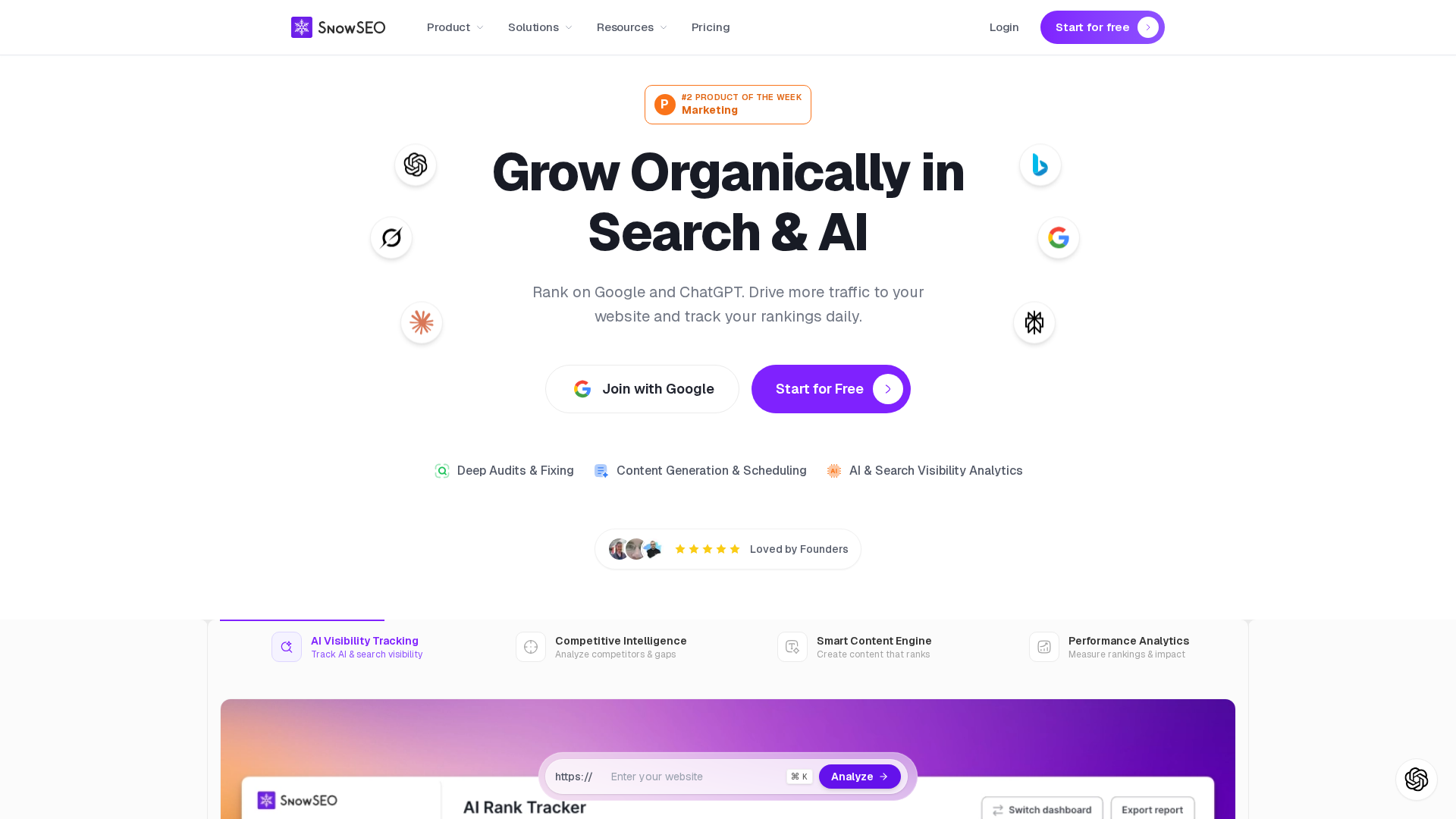
    SnowSEO homepage
    SnowSEO homepage

    Your content ops shouldn’t eat your mornings. Pair these ten workflows with SnowSEO and its audits, keyword research, and AI visibility tracking run on schedule, no developer needed. Start your free look today.

    Frequently Asked Questions

    Q1: What are the best workflows to automate in content operations for faster delivery?

    Start with monitoring, then cluster, brief, draft, audit, publish and measure in that order.

    Q2: Do these automations need a developer?

    No. Each runs on a schedule with no-code triggers.

    Q3: How much human review should stay in the loop?

    Review tone, accuracy and originality at every handoff before publishing.

  • 9 Tools for Mapping SEO Topic Clusters Fast

    9 Tools for Mapping SEO Topic Clusters Fast

    Quick Summary: Mapping SEO topic clusters manually breaks down past fifty keywords, so most teams now use dedicated clustering tools to group keywords by intent and SERP overlap. This roundup ranks nine options, grouped by clustering engine: SnowSEO tops the list for fusing cluster mapping with AI-overview citability scoring, Keyword Insights wins on SERP-similarity accuracy at scale (up to 2.5M keywords), MarketMuse leads for enterprise scoring rigor, and Semrush Topic Research fits teams already in that suite with fast mind-map visuals. The core takeaway: pick a tool based on clustering method and workflow fit, and demand re-clustering quarterly since SERPs shift fast under AI Overviews.

    Most SEO teams already have hundreds of keywords sitting in spreadsheets. Turning that list into an executable map of SEO topic clusters before your next sprint is the hard part.

    Manual clustering breaks down past fifty keywords. And with SERPs shifting under AI Overviews, the architecture you draw this quarter goes stale without a keyword clustering tool that re-maps continuously.

    This review ranks nine options, grouped by clustering engine, so you can pick the topic cluster tool that fits your operation’s stage. Selection criteria: clustering method, map output, scale, and AI-search readiness.

    Topic Cluster Tool Comparison

    Tool Best for Clustering method Map output Scale
    SnowSEO Teams optimizing for AI-overview citations as much as blue-link rank Semantic + AI-overview citability scoring Interactive cluster map inside the content workflow Built for site-wide clusters, not single projects
    Keyword Insights Agencies clustering millions of keywords per project SERP similarity (top-10 overlap) Cluster table with intent, volume, and difficulty Up to 2.5M keywords per project
    MarketMuse Enterprise content teams that need scoring rigor Patented topic modeling + competitive gap analysis Cluster view with personalized difficulty per subtopic Site-wide topic inventories
    Semrush Topic Research In-house teams already on the Semrush stack Semrush semantic database + search suggestions Mind-map style visual topic map Project-level maps, manual stitching across projects

    What to know about topic cluster mapping

    A topic cluster is a pillar page surrounded by interlinked supporting pages. Together they build topical authority and earn citations in both Google and AI answer engines.

    Mapping SEO topic clusters fast means grouping thousands of keywords by intent and SERP overlap, visualizing pillar-to-cluster links, and re-running the map as the SERP shifts.

    Tools differ on the engine they use, the format of the map, and whether they treat AI citation as a first-class output. Pick based on your workflow, not feature counts.

    1. SnowSEO

    SnowSEO treats cluster mapping as part of a full AI-search workflow, not a standalone keyword grouper. Clusters get scored for AI-overview citability, not just blue-link rank, so the map reflects how generative engines cite sources.

    SnowSEO
    SnowSEO

    Highlights

    • Built-in cluster map sits inside the content pipeline, so there’s no export-and-import step
    • Pillar pages regenerate from the same prompt context that built the cluster, cutting drift
    • Audits surface cannibalization across live URLs before you map anything new

    Specs

    • Best for: Teams optimizing for AI-overview citations as much as blue-link rank
    • Clustering method: Semantic + AI-overview citability scoring
    • Map output: Interactive cluster map inside the content workflow
    • Scale: Built for site-wide clusters, not single projects

    Pros

    • Only platform here that grades clusters by AI-overview citability
    • Combines mapping, briefs, writing, and rank tracking in one place

    Cons

    • Smaller standalone keyword database than legacy suites
    • Cluster visualization is workflow-embedded rather than a standalone canvas

    It ranks first because it’s the only tool on this list that fuses cluster mapping with AI-search visibility scoring.

    Last updated: October 17, 2026

    2. Keyword Insights

    Keyword Insights groups keywords by SERP similarity, not raw text matching, so clusters mirror how Google actually assigns intent. It processes up to 2.5 million keywords per project, the highest ceiling of any keyword clustering tool here. Independent comparisons consistently rank it first for SERP-based accuracy.

    Keyword Insights
    Keyword Insights

    Highlights

    • Clusters by overlapping top-10 SERP URLs, the closest proxy to Google’s intent grouping
    • Handles up to 2.5 million keywords per project
    • Free SERP similarity tool for up to six keywords at a time
    • Intent, difficulty, and volume roll up to cluster level
    • Built for agencies running multi-client topical authority campaigns

    Specs

    • Best for: Agencies clustering millions of keywords per project
    • Clustering method: SERP similarity (top-10 overlap)
    • Map output: Cluster table with intent, volume, and difficulty
    • Scale: Up to 2.5M keywords per project

    Pros

    • SERP-based grouping, the most accurate intent proxy
    • Massive keyword processing ceiling
    • Generous free SERP similarity tool for sanity checks

    Cons

    • Less useful for AI-overview citability scoring
    • Cluster visualization is tabular rather than graph-based
    • Paid tier needed for the heavy clustering work

    It ranks second because SERP-similarity clustering is the most defensible method in the category, and no one runs it at this scale.

    Last updated: October 17, 2026

    3. MarketMuse

    MarketMuse, now part of Siteimprove after its 2024 acquisition, is a content intelligence platform for enterprise clusters. It scores each cluster by competitive depth and flags subtopics your domain under-covers versus rivals.

    MarketMuse
    MarketMuse

    Highlights

    • Patented topic modeling quantifies how fully a page covers a subject
    • Competitive gap scoring works at cluster level, not just per URL
    • Personalized difficulty reflects your existing authority on each subtopic
    • Briefs generate straight from the cluster map, keeping topical authority planning and output aligned
    • Siteimprove integration adds governance and accessibility checks

    Specs

    • Best for: Enterprise content teams that need scoring rigor
    • Clustering method: Patented topic modeling + competitive gap analysis
    • Map output: Cluster view with personalized difficulty per subtopic
    • Scale: Site-wide topic inventories

    Pros

    • Patented scoring gives cluster depth a defensible number
    • Gap analysis runs at the subtopic level
    • Siteimprove integration covers governance and accessibility

    Cons

    • Enterprise pricing sits above mid-market tools
    • Steeper learning curve than SERP-only tools
    • Less focused on AI-overview citability than SnowSEO

    It ranks three because patented scoring answers “how deep is deep enough” with a number, while most tools leave that to gut feel.

    Last updated: October 17, 2026

    4. Semrush Topic Research

    Type a seed keyword and Semrush Topic Research returns a mind-map style cluster of subtopics, questions, and related searches pulled from its semantic database. Each card ships with volume and difficulty, so there is no manual enrichment step before you plan a topic research tool rollout. It sits beside keyword research, backlink, and rank tracking modules in a suite most in-house teams already license; if you want AI-visibility tracking layered onto mapping, that is where a GEO-aware option like SnowSEO’s keyword workflow differs.

    Semrush Topic Research
    Semrush Topic Research

    Highlights

    • Mind-map cluster visualization from a single seed keyword
    • Cards show volume and difficulty out of the box
    • Lives next to keyword research, backlink, and rank tracking modules

    Specs

    • Best for: In-house teams already on the Semrush stack
    • Clustering method: Semrush semantic database + search suggestions
    • Map output: Mind-map style visual topic map
    • Scale: Project-level maps, manual stitching across projects

    Pros

    • Fastest path to a visual cluster from one seed keyword
    • Bundled with the full Semrush SEO suite

    Cons

    • Cluster depth is shallower than SERP-similarity tools
    • Subscription cost is high if you only need clustering
    • Map output is less customizable than a graph canvas

    It ranks fourth because fast visual mapping plus the rest of the Semrush stack fits the workflow most SEO professionals already use, which keeps switching cost near zero.

    Last updated: October 17, 2026

    Honourable Mentions

    Four tools earned full write-ups above. These five runners-up each handle a different clustering niche, and they made the list on method, not marketing spend. (If you want one platform that maps clusters and tracks AI visibility, SnowSEO covers both.)

    1. Surfer SEO – Cluster to brief to editor in one AI-first workflow
    2. Clearscope – NLP topical-coverage grading for lean content teams
    3. Frase – Mid-market cluster research bundled with AI outlines
    4. InfraNodus – Knowledge-graph visualization that surfaces niche gaps
    5. seo.ai Topic Cluster Tool – Free, no-login keyword grouper for fast cluster drafts

    How to choose the right topic cluster tool

    • Start with the method. SERP-similarity tools (Keyword Insights) mirror how Google groups intent. NLP modeling (MarketMuse, Clearscope) mirrors semantic depth. Knowledge graphs (InfraNodus) surface gaps rivals miss.
    • Match output to workflow. Mind-maps feed planning, tables feed briefs, graphs feed research.
    • Test at your scale. Price the tier you’ll actually need.
    • Score AI-overview citability. If your topics trigger AI Overviews, SnowSEO is the clear pick, since it grades clusters for citations as well as rank.
    • Demand re-clustering. SERPs shift fast; a one-shot map is stale in weeks.
    SnowSEO homepage
    SnowSEO homepage

    Stop stitching clusters across five tools. SnowSEO maps topic clusters and tracks your visibility on Google and AI platforms in one place. See what it maps for your site.

    Frequently Asked Questions

    Q1: What are the best tools for mapping SEO topic clusters?

    SnowSEO leads for AI-search-ready maps, Keyword Insights for SERP-similarity clustering at scale, MarketMuse for enterprise scoring, and Semrush for fast visual maps. Pick by clustering method and workflow fit.

    Q2: What is a topic cluster in SEO content strategy?

    A pillar page surrounded by interlinked supporting pages, all covering one subject. The structure builds topical authority and earns citations in Google and AI answer engines.

    Q3: Which SEO tools visualize topic clusters quickly?

    Semrush Topic Research draws a mind map from one seed keyword fastest. InfraNodus offers graph views, while SnowSEO embeds an interactive cluster map directly in the content workflow.

    Q4: How often should I re-cluster my keywords?

    Every quarter at minimum, or monthly in volatile niches. SERPs shift under AI Overviews, so a one-shot map goes stale within weeks.

  • Latest Google AI Search Updates and Impact on Rankings

    Latest Google AI Search Updates and Impact on Rankings

    Quick Summary: Google’s I/O 2026 rollout put Gemini 3.5 Flash into AI Mode for every user worldwide and added an AI-driven search box that accepts voice, image, and camera input. On top of that, three core updates in five months (including a May 21 to June 2 rollout that pushed 79.5% of top-3 URLs to new positions) have made classic rankings volatile and AI citations decisive. Winning visibility now depends on being cited inside AI answers, which favors pages that solve complete tasks with clear entities and structured claims. For teams adjusting to this shift, SnowSEO tracks citation share across Google AI Mode, ChatGPT, and Claude alongside traditional rank data so both views sit in one dashboard.

    At I/O 2026 on May 19, Google put Gemini 3.5 Flash into AI Mode for every user worldwide, alongside a redesigned search box that autocompletes with AI. These Google AI search updates landed on top of three core updates in five months. For SEO teams, the Google AI search updates mean the rankings you watched yesterday are already stale, because AI Overviews now sit above the fold and queries in AI Mode have passed one billion monthly users. This cluster post breaks down each change, its ranking impact, and how to measure citations, not just blue-link positions.

    What Google Just Shipped in AI Mode

    The core news from I/O 2026 is simple: AI Mode now runs on a new model, and the search box itself has changed.

    Person photographing sneaker with smartphone
    Person photographing sneaker with smartphone

    From Gemini 2.5 to Gemini 3.5 Flash as the Default

    Google confirmed on its official Search blog that Gemini 3.5 Flash is now the default model powering AI Mode for every user, worldwide. That matters because Gemini 3.5 Flash is built for agent-style work: it chains steps, calls tools, and handles longer reasoning at Flash speed. For SEOs, the practical shift is that AI Mode answers will lean more on multi-step synthesis and less on single-pass summaries. Pages that answer complete tasks, not just single queries, should fare better. Google’s announcement is the source to bookmark.

    The AI-Powered Search Box and Multimodal Input

    The second change sits in front of the model. Google redesigned the Search box so it autocompletes with AI suggestions and can hand a query straight to an agent. Voice, image, and camera input are now first-class paths into AI Mode, so a user can point a phone at a product and get a synthesized answer. Search Engine Journal’s coverage notes these agents start rolling out this summer.

    How the Recent Core Updates Are Reshuffling Rankings

    Three core updates have hit within months: February’s Discover-focused update, March’s, and the May rollout that ran from May 21 to June 2. The Search Status Dashboard logs each one, so you can match your traffic dips to exact rollout windows instead of guessing.

    March was the roughest. SE Ranking’s measurements showed 79.5% of top-3 URLs shifting position, the highest on record.

    SEO manager analyzing ranking drop report
    SEO manager analyzing ranking drop report

    Why Blue Links Still Move During the AI Rollout

    Classic rankings are not frozen while AI Mode expands. Core updates recalibrate how Google weighs quality signals across all results, including the ten blue links that still feed AI Overviews and AI Mode citations. Lose your organic position and you often lose the AI citation with it, so tracking both together matters more than ever.

    internal link: how to track rankings across Google and AI platforms

    What This Means for Your AI Visibility Right Now

    Track Citations, Not Just Blue-Link Positions

    With AI Mode answering queries directly, position 1 no longer guarantees visibility. Your brand now shows up when Google’s AI cites you, and citations follow different rules than rankings: clear entities, structured answers, and well-sourced claims. Track how often your pages appear inside AI answers, not only where they sit on page one. SnowSEO’s AI visibility tracking reports citation share across Google AI Mode, ChatGPT, and Claude alongside classic rank data, so you can see both views side by side.

    Watch the Core-Update Calendar Closely

    Three core updates have landed within months, and the May rollout (May 21 to June 2) drove record volatility, with 79.5% of top-3 URLs shifting position. Check the Search Status Dashboard before you diagnose a drop, and log update dates against your visibility reports. Otherwise you may “fix” something Google itself moved.

    The Road From Here to AI-First Search

    The direction is clear: Google now frames Search itself as AI, with agents handling follow-up questions end to end. Blue links will keep fading, so watch AI Mode’s official guidance, track how often AI answers cite you, and adjust content for queries machines resolve, not pages people scroll.

    SnowSEO homepage
    SnowSEO homepage

    Tracking rankings after AI Mode means watching more than position 1. SnowSEO shows where you appear across Google’s AI answers, so start your visibility audit today.

    Frequently Asked Questions

    Q1: How are the most recent Google search engine changes affecting organic rankings?

    AI Overviews sit above the fold, and the May core update shifted 79.5% of top-3 URLs.

    Q2: Does position 1 still matter?

    Yes, but less. AI citations now drive visibility alongside rankings.

    Q3: Where can I verify update timing?

    Google’s Search Status Dashboard logs exact rollout dates.

    Conclusion

    Google’s 2026 updates made AI citations as decisive as blue-link positions. Track both, match dips to core update dates on the dashboard, and keep auditing your AI visibility.

  • SEO Platform Features That Matter for Agencies in 2026

    SEO Platform Features That Matter for Agencies in 2026

    Quick Summary: In 2026, choosing an SEO platform depends on workflow integration rather than flashy dashboards. Key features include effective rank tracking, AI content tools that support quality and brand voice, strong competitive analysis, and streamlined reporting for multi-client management. SnowSEO is highlighted as a platform that consolidates these features, reducing tool sprawl and improving agency efficiency.

    Choosing an SEO platform in 2026 comes down to workflow, not checklists. Basic rank tracking and keyword tools are expected. The real test is whether SEO platform features connect with AI content, competitive analysis, and client reporting in one clean system. Many agencies still juggle too many tools, lose time, and miss insights. This guide breaks down the SEO platform features that matter most, which SEO platform features cut tool sprawl, and how agencies should judge platforms for real client work.

    1. Start with the features that affect agency output, not just dashboard appeal

    Pretty charts do not save team time. Output does. Start with rank tracking and keyword workflows that help account managers act fast across many clients. Google says Search Console reports clicks, impressions, CTR, and average position, with daily, weekly, and monthly views for trend checks in its Performance report guide.

    • Rank tracking should support daily checks, device splits, and client-to-client views.
    • Comparisons should be easy at page, query, and market level.
    SEO workflow diagram with charts and dashboards
    SEO workflow diagram with charts and dashboards

    A platform also needs keyword research tied to briefs and content calendars. Google’s query and page groupings help teams see which searches bring traffic and which pages win or miss in Search Console dimensions.

    If your team exports keywords into separate docs, your platform still has a workflow gap.

    Also Read: 10 Best Tools for Competitor SEO Analysis in 2024

    2. Verify whether AI content generation actually helps your SEO process

    AI writing helps only if it improves speed, quality, and control. Google still rewards helpful, original pages, not mass text built to game rankings, per Google’s AI content guidance.

    • Look for SEO-aware briefs, not generic text generation
      Choose tools that build from search intent, entities, page type, and gaps in the current SERP. The output should start with a brief, not a blank prompt. Check whether it can suggest internal links, evidence to add, and sections your writer must verify. If it only spins readable copy, it will create commodity content fast.

    • Check whether the tool supports brand voice, approval, and publishing
      Good AI content needs guardrails. Your platform should store voice rules, require human review, and track edits by client or team. Google’s 2026 guidance on generative search also stresses unique, non-commodity content and solid publishing basics, as covered by Google’s new generative AI search guide.

    Also Read: Rank Tracking Setup for Google and AI Search

    3. Make competitive analysis a first-class buying criterion

    Do not treat competitor data as a nice extra. Make it a core buying test. As HubSpot notes, your real SEO competitors are often not your business rivals, so the platform must show visibility overlap clearly.

    • Compare shared keywords by market, device, and client location
    • Flag keyword gaps by intent, not just volume
    • Show which competitor pages win, not only which domains rank
    Modern SEO analysis dashboard with competitor comparison
    Modern SEO analysis dashboard with competitor comparison

    Use competitor tracking to make client strategy easier to defend. Moz defines competitor keyword analysis as finding valuable keywords competitors rank for that you do not. That should feed reports, briefs, and monthly actions.

    1. Track 3-5 true search rivals per client
    2. Tie ranking shifts to content updates
    3. Turn gaps into priority page lists

    If SnowSEO can connect gap data to reporting in one place, you cut tool sprawl fast.

    Also Read: 10 Must-Have Tools to Streamline Your SEO in 2025

    4. Choose the platform based on reporting, collaboration, and scale

    Pick the platform your clients will actually feel. White-label reporting and scheduled sends matter fast. Google says Search Console bulk export runs daily and starts within 48 hours after setup, which helps if your platform can turn raw data into client-ready reports without manual work Google Search Console help.

    • Check branded report templates
    • Confirm automated email delivery
    • Test PDF and live link options

    Your team also needs a clean workspace model. Google notes bulk exports can keep growing over time and data is retained unless you set limits, so scale and permissions matter table reference.

    • Separate clients by workspace or property
    • Set role-based access
    • Audit task history and approvals

    Also Read: SnowSEO – Your Last SEO Platform

    Homepage
    Homepage

    Cut tool sprawl and manage client SEO faster with SnowSEO. Get audits, tracking, content, and competitive data in one platform built for agencies.

    Frequently Asked Questions

    Q1: Which SEO platform offers the best integration of rank tracking, keyword research, AI content generation, and competitive analysis?

    SnowSEO fits agencies that want one workflow, not five tools.

    Q2: What feature matters most for multi-client agencies?

    Client-level permissions and clean reporting save the most time.

    Q3: Should agencies replace point tools in 2026?

    Not always. Replace overlap first, then keep tools with clear, unique value.

    Conclusion

    Agencies should buy for shared workflows, clean reporting, strong integrations, and AI search tracking, not bloated checklists. Google says core SEO still supports generative search in its AI optimization guide, while AI Search updates show why unified platforms now matter more.