Tag: semrush

  • How to Audit Core Web Vitals With SEO Tools

    How to Audit Core Web Vitals With SEO Tools

    Quick Summary: Audit Core Web Vitals in a fixed sequence: pull CrUX field data from Search Console first, then run PageSpeed Insights and Lighthouse as lab tests, and finish with a real-user monitoring tool to confirm gains. Read the 75th percentile rather than averages, group URLs by template so one fix covers hundreds of pages, and triage in order LCP, INP, CLS. The article notes SnowSEO combines audits with continuous tracking, letting regressions surface without waiting for a manual review.

    Your Search Console report flagged 412 URLs as Poor, and your dev team needs a fix order, not a 30-tool comparison. The fastest way to audit Core Web Vitals with SEO tools is a fixed sequence: CrUX data first, then PageSpeed Insights, Lighthouse, and real-user monitoring last. This guide shows how to audit Core Web Vitals with SEO tools in that order, so each run confirms the one before it.

    Step 1: Pull Field Data From Search Console and CrUX

    Start with real user data. Google’s CrUX report and Search Console’s Core Web Vitals report show how actual visitors experience your pages, which lab tools cannot. Fix what field data flags first.

    Read the 75th Percentile, Not Averages

    Every Core Web Vitals metric is scored at the 75th percentile. If 25% of visits load slowly, the page fails, even when the average looks fine. Averages hide the users on mid-range phones and weak connections, and those are the users Google scores. Check the metric distribution too: a page passing LCP with 80% “good” visits is healthier than one barely clearing the line. You can spot-check any URL with a free page speed test before deciding how deep to dig.

    Group URLs by Template, Not One by One

    Auditing thousands of pages page by page wastes time. Search Console groups URLs by status, so pair it with your site structure. Most issues repeat by template: one broken product page usually means all product pages share the problem. Fix the template once and hundreds of URLs improve together.

    Step 2: Run Lab Tests With PageSpeed Insights and Lighthouse

    Lab tests simulate one load under fixed conditions. Run PageSpeed Insights on your priority URLs to get both lab scores and field data in one report, then use Lighthouse in Chrome DevTools for deeper traces on problem pages.

    Developer reviewing a Chrome DevTools performance panel
    Developer reviewing a Chrome DevTools performance panel

    Why Lab Scores and Field Data Often Disagree

    The two measures differ because they answer different questions. Lighthouse loads your page on a simulated mid-range phone with a throttled connection, so scores shift every time Google updates its tooling. Field data reflects real visitors, devices, and networks. A perfect lab score with poor field numbers means your test conditions hide the problem. Treat lab data as a diagnosis tool and field data as the verdict.

    Diagnose the Three Metrics Individually

    Each metric points to a different fix:

    • LCP over 2.5 seconds usually means a slow hero image, render-blocking CSS, or a slow server response. Check the element Lighthouse names, then compress or preload it.
    • INP problems show up as long tasks. Look for heavy JavaScript and break it up or defer it.
    • CLS jumps come from images without set dimensions, late-loading fonts, or ads injected above content.

    Fix one metric at a time and re-test, since changes often interact.

    Step 3: Prioritize Fixes and Monitor With a Real-User Tool

    A triage order keeps the work finite: fix what blocks the largest number of visitors first. Field data from CrUX shows which metric fails most often, and that decides where the effort goes.

    Triage Order: LCP, Then INP, Then CLS

    Start with LCP because slow loads push visitors away before they see anything. Check the main image and hero section, then trim render-blocking code. Move to INP next: log slow interactions in the field data, and look for heavy JavaScript on click. Fix CLS last, usually by setting width and height on images and ads. Rerun the field check after each fix, since lab scores alone can mislead.

    Developer annotating Core Web Vitals dashboard
    Developer annotating Core Web Vitals dashboard

    Set Up Continuous Monitoring, Not One-Off Audits

    One audit catches today’s problems; monitoring catches the next release’s. A real-user monitoring (RUM) tool collects data from actual visitors, so it reflects every device and connection. Add a lightweight RUM script or plug a platform’s alerts into your workflow. SnowSEO, for example, combines site audits with ongoing tracking, so regressions surface instead of hiding until the next manual review. Set a threshold, and alert when any page crosses it.

    Check thresholds on Google’s Core Web Vitals documentation.
    Homepage
    Homepage

    Your audit found slow pages. SnowSEO turns those Core Web Vitals issues into a prioritized fix list, so you can start repairs today instead of digging through reports.

    Frequently Asked Questions

    Q1: How can SEO teams use tools to diagnose and prioritize Core Web Vitals issues?

    Start with CrUX field data to confirm real user problems, then use PSI and Lighthouse in SnowSEO to find causes. Fix pages with the worst traffic-weighted scores first.

    Q2: What’s the difference between lab data and field data?

    Lab data comes from simulated tests in one location. Field data (CrUX) reflects actual visitors. Prioritize field data, and use lab tests only to debug confirmed issues.

    Q3: How often should I run a Core Web Vitals audit?

    Monthly is enough for most sites. Re-audit after major releases, template changes, or traffic spikes.

    Q4: Should I audit every page?

    No. Group URLs by template (home, product, article) and test a sample from each. Fixes usually apply template-wide.

    Conclusion

    Start with CrUX field data, then PSI, Lighthouse, and finally RUM to confirm real gains. Group URLs by template, fix what fails thresholds first, and re-test after each change. A technical SEO audit keeps Core Web Vitals from drifting once the initial fixes land.

  • Ahrefs vs Semrush for Technical SEO Audits

    Ahrefs vs Semrush for Technical SEO Audits

    Quick Summary: Ahrefs and Semrush serve different technical SEO needs, with Ahrefs offering faster, cleaner audits while Semrush provides deeper, more granular diagnostic tools. Ahrefs is ideal for specialists prioritizing speed and backlink data, whereas Semrush suits enterprise teams needing broad reporting. For agencies seeking to automate these workflows, SnowSEO integrates deep technical audits with AI visibility checks to save time.
    For the Ahrefs vs Semrush technical SEO question, the trade-off is simple: Ahrefs runs faster, cleaner audits, while Semrush casts a wider net with crawl filters and diagnostics. Both drown you in low-impact issues, so this guide tests each site audit engine on large, complex sites and ranks the Ahrefs vs Semrush technical SEO setup that fits your workflow.

    Ahrefs vs Semrush for Technical SEO Audits: At a Glance

    Ahrefs Semrush
    Crawl Customization Standardized, highly optimized Advanced, granular
    JavaScript Rendering Limited support Robust built-in support
    Diagnostic Filtering Minimalist and precise Extensive and complex
    Report Actionability High for quick wins Moderate (requires sorting)
    Best For Agencies wanting fast audits Enterprise-level deep analysis

    How Ahrefs and Semrush Compare

    The Ahrefs vs Semrush technical SEO debate starts with two very different tools built for two very different workflows.

    Ahrefs

    Ahrefs is a high-performance crawler prized for its speed and clean interface. It suits agencies that want fast, precise audits without digging through layers of menus. Its minimalist filtering surfaces quick wins fast.

    Ahrefs
    Ahrefs

    Key strengths

    • Fast, optimized crawling
    • Simple, precise diagnostic filters
    • High-impact quick-win reporting

    Semrush

    Semrush is a broad suite with deep diagnostic tools and granular crawl settings. It fits enterprise teams running complex, large-scale analysis. Expect richer data, but reports need sorting before they turn into action.

    Semrush
    Semrush

    Key strengths

    • Advanced, granular crawl customization
    • Robust built-in JavaScript rendering
    • Extensive diagnostic filtering for deep dives

    Crawl Engine Performance and Customization

    Managing Large-Scale Site Architectures

    Crawl limits decide whether an audit finishes or stalls. Ahrefs uses its own crawler and adjusts speed based on your project size, while Semrush caps site audit crawls by plan tier. On a 500,000-page e-commerce site, that difference shows up fast in audit time and how fresh your data stays.

    Customization matters more than raw limits. Both tools let you exclude URL patterns, control crawl depth, and schedule recrawls. Semrush adds source options like sitemaps and Google Search Console data, which helps when JavaScript blocks the bot.

    For agencies juggling many clients, SnowSEO runs deep site audits with crawl settings built in, so you can tune speed and scope per project without paying extra per crawl. Pick whichever engine matches your site’s scale, then automate the schedule. Our technical audit tool comparison breaks down how crawlers differ in practice.

    Analyst monitoring complex site architecture data
    Analyst monitoring complex site architecture data

    JavaScript Rendering and Modern Technical Diagnostics

    Modern sites depend on JavaScript to show content, so an audit that reads only raw HTML misses links, text, and even canonical tags. Both Ahrefs and Semrush render JavaScript, but the setup differs in ways that change your results.

    Identifying Rendering Bottlenecks

    Start by comparing source HTML against the rendered DOM. If key content appears only after scripts run, note which pages rely on it. Ahrefs’ crawler executes JavaScript on any page you audit, then snapshots the rendered HTML after a short wait, though it will not scroll, click, or capture content that loads after its snapshot window. Semrush gates JS rendering behind its Guru and Business tiers, so check your plan before betting an audit on it.

    For either tool, budget extra crawl time. Rendered crawls run slower because every page waits for scripts.

    Broken scripts and blocked JS files cause the worst false negatives. Audit both. Platforms like SnowSEO bundle rendered audits with AI visibility checks, so one crawl flags issues for both Google and AI engines.

    Which Should You Choose: Ahrefs or Semrush?

    Pick Ahrefs if your audits live on crawl data, backlink history, and clean site structure reports. Its index is fast, and the interface stays focused on the technical work.

    Pick Semrush if you need one platform for the whole client engagement: audits plus rank tracking, content tools, and competitor reporting in a single dashboard.

    Factor Ahrefs Semrush
    Crawl depth Strongest Strong
    Extra toolkit Lean Broad
    Best fit Technical specialists Full-service agencies
    Consultant comparing two SEO audit reports
    Consultant comparing two SEO audit reports

    Many agencies run both, then automate the repetitive checks in a platform like SnowSEO so the human time goes to judgment calls, not exports.

    Homepage
    Homepage

    Still weighing audit depth against crawl speed? Test both against SnowSEO, which runs deep technical audits and tracks AI visibility in one place.

    Frequently Asked Questions

    Q1: Ahrefs vs Semrush: which platform gives deeper technical SEO audit insights?

    Semrush edges ahead on crawl depth and issue prioritization; Ahrefs wins on backlink-linked diagnostics. Both miss workflow automation, which is where SnowSEO’s integrated audits save agency hours.

    Q2: Can I run both tools on one client site audit?

    Yes, but it doubles cost and reporting work. Most agencies pick one crawler and pair it with an automation layer instead.

    Q3: How often should technical SEO audits run?

    Weekly crawls for large sites, monthly for smaller ones. Automated platforms schedule this for you.

    Conclusion

    For technical SEO audits, Ahrefs suits teams focused on crawl depth and link data, while Semrush wins on site monitoring and reporting breadth. Agencies running client-heavy workflows may find SnowSEO blends both strengths, as covered in these technical audit tools.

  • SnowSEO vs Semrush for AI Search Visibility Tracking

    SnowSEO vs Semrush for AI Search Visibility Tracking

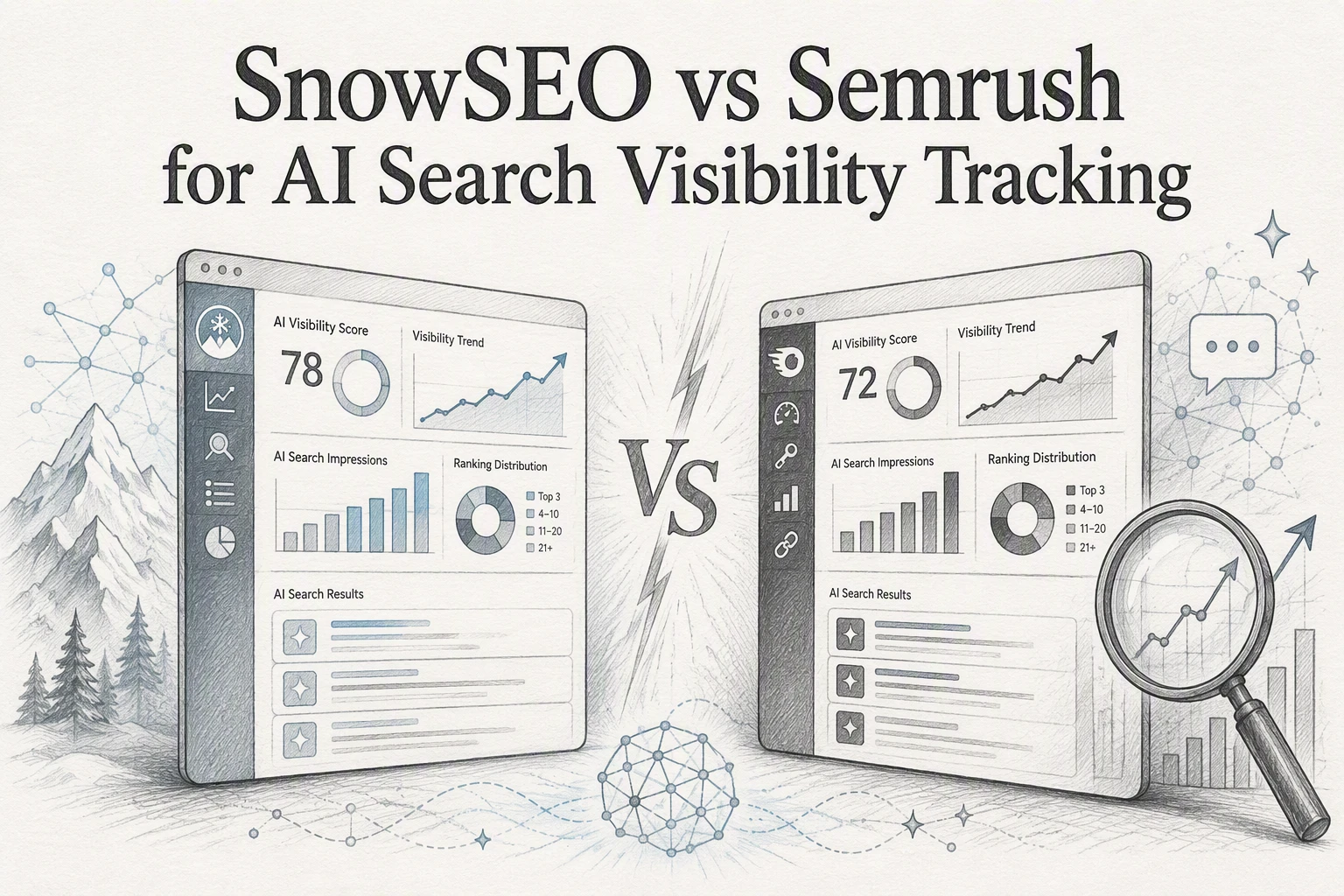
    Quick Summary: Your Google rankings don’t matter if AI tools like ChatGPT ignore your brand-so SnowSEO bundles AI visibility tracking (mentions, citations, sentiment) directly into its SEO workflow, making it ideal for lean teams that need actionable insights without switching tools. Semrush, meanwhile, excels at deep AI prompt tracking across platforms (ChatGPT, Gemini) and competitor benchmarking, but its $99/month AI plan and sprawling suite suit larger teams already using its tools. The key difference: SnowSEO ties visibility data to audits and content tasks in one place, while Semrush delivers broader market context for teams prioritizing research over execution.

    Strong Google rankings mean little if ChatGPT or Gemini never mentions your brand. This AI search visibility tracking comparison tests SnowSEO and Semrush on AI mentions, citations, competitor gaps, and action steps. SnowSEO suits lean teams needing one workflow. Semrush fits teams using its wider SEO suite and AI Visibility Toolkit. This AI search visibility tracking comparison focuses on data you can use.

    SnowSEO vs Semrush: AI Visibility Tracking at a Glance

    SnowSEO Semrush AI Visibility Toolkit
    Primary tracking model Google keywords plus AI prompts and brand visibility AI prompts, brand visibility reports, and traditional Position Tracking
    AI visibility signals Mentions, citations, sentiment, share of voice, visibility score Visibility score, mentions, citations, cited pages, sentiment, average position
    Traditional rank tracking Daily keyword tracking with GSC and live SERP data Mature daily position tracking across locations and devices
    Competitive analysis Competitor visibility, SOV, citations, and ranking comparisons Competitor visibility, prompt gaps, cited sources, and benchmarks
    Optimization workflow Keywords, clusters, content, audits, outreach, and publishing Research, audits, reporting, and connected Semrush toolkits
    Best fit Lean teams, SMBs, agencies seeking an integrated workflow Existing Semrush users, larger SEO teams, and agencies needing depth

    How SnowSEO and Semrush AI Visibility Toolkit Compare

    SnowSEO

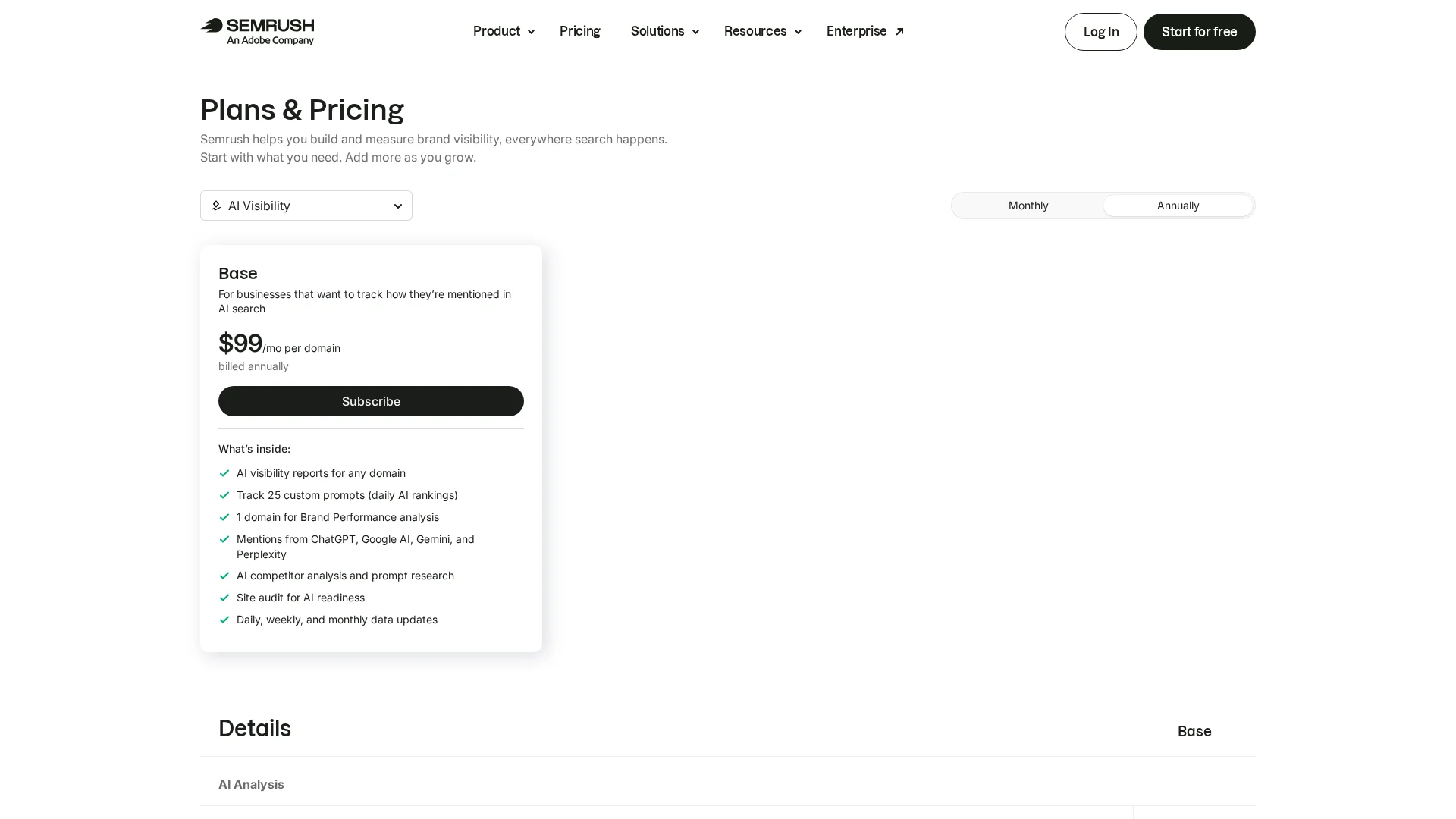
    SnowSEO unifies Google rank tracking with AI prompt, brand, and competitor visibility in one SEO and GEO workflow. It suits lean teams, SMBs, and agencies that need data tied to content, audits, outreach, and publishing in this AI search visibility tracking comparison.
    SnowSEO

    Semrush AI Visibility Toolkit

    Semrush adds AI prompt tracking, citations, sentiment, and competitor research to its established SEO suite. It fits existing Semrush users and larger teams needing depth, with daily prompt tracking across key AI platforms.
    Semrush AI Visibility Toolkit

    What Each Platform Actually Tracks

    From Keyword Positions to AI Answer Presence

    Traditional rank tracking measures where a page sits in search results. AI tracking asks whether your brand, page, or citation appears inside an answer.

    Platform What it tracks
    SnowSEO Keyword ranks, AI platform visibility, citations, audits, and competitor gaps
    Semrush AI mentions, cited pages, prompt visibility, sentiment, and average citation position

    Semrush tracks prompts across ChatGPT, Google AI Mode, and Gemini, including daily changes and cited domains, as its Prompt Tracking guide explains.

    Tip: Track citations and mentions separately. A brand mention builds awareness; a cited page shows content AI systems use.

    Also Read: 10 Organic Growth Strategies to Drive Traffic in 2025

    Coverage, Competitor Insights, and Reporting Compared

    Which Tool Gives More Actionable Competitive Context?

    Semrush offers broader AI coverage and clear competitor benchmarks. Its reports compare mentions, citations, audience, and prompt gaps across major AI platforms. You can add up to four rivals, then find prompts where they appear and you do not, as outlined in Semrush’s competitor report.

    Competitor gap analysis dashboards side by side
    Competitor gap analysis dashboards side by side

    SnowSEO is the better fit when your team needs those gaps tied to execution in one workspace.

    Need Better fit
    Cross-platform benchmark reporting Semrush
    Audit, content, tracking, and competitor work together SnowSEO

    Track prompt gaps, cited pages, and competitor mentions. A visibility score alone does not tell your team what to fix.

    • Use Semrush for wide market reporting.
    • Use SnowSEO to turn findings into SEO tasks.

    Also Read: 10 Best Tools for Competitor SEO Analysis in 2024

    Workflow and Value: Tracking Data That Leads to Action

    Cost and Workflow Fit Matter More Than Feature Count

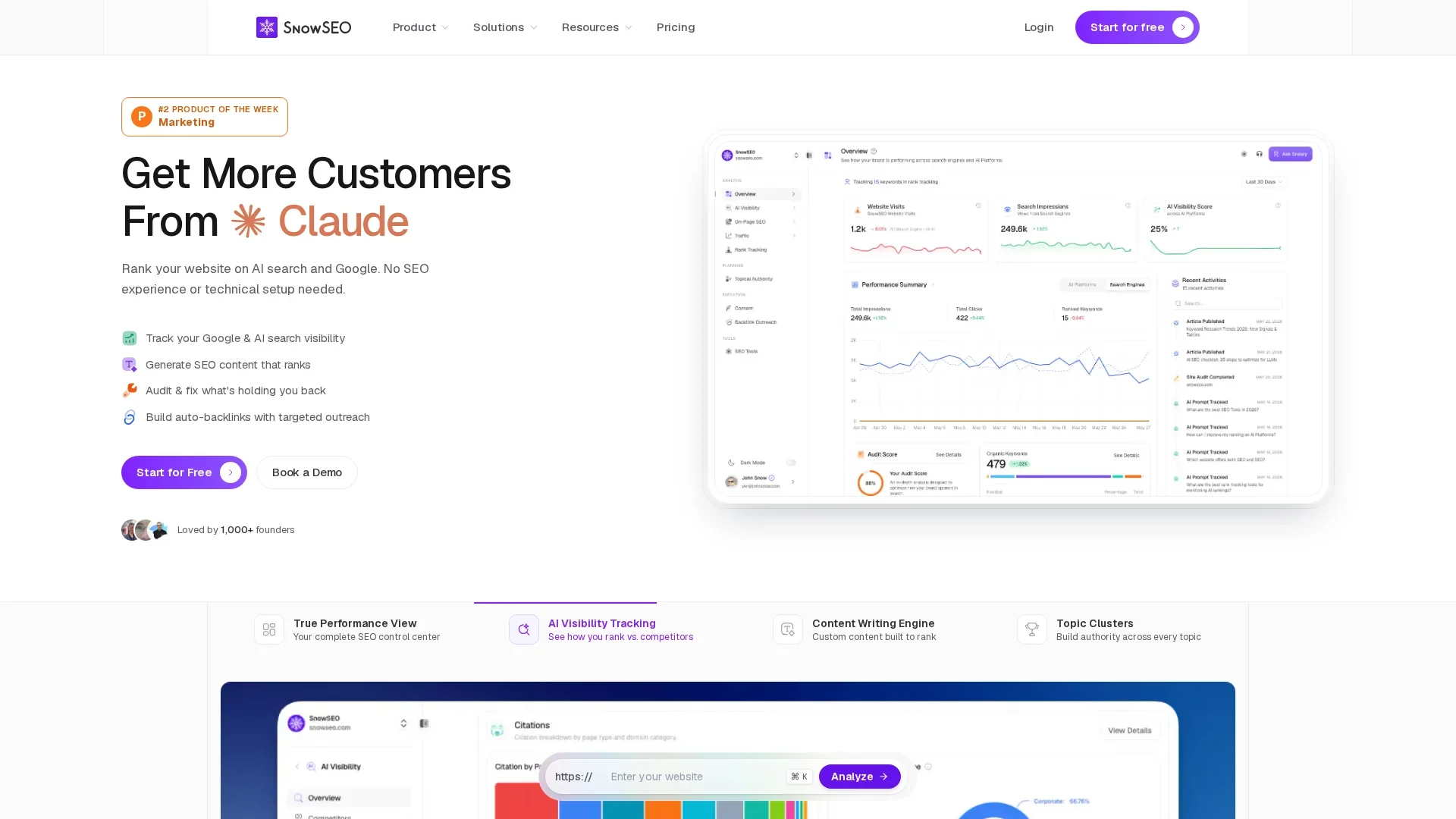
    Pick the tool that turns a visibility drop into a clear task. Semrush tracks daily prompts, competitors, citations, and AI search issues, but its AI Visibility plan starts at $99 per domain per month. It fits teams already using its wider SEO stack.

    Workflow need Better fit
    One place for audits, content, rankings, and AI visibility SnowSEO
    Deep AI prompt research alongside a large SEO suite Semrush
    Workflow clarity over feature depth
    Workflow clarity over feature depth
    • Find prompts where competitors earn citations.
    • Update the matching page or build a new answer.
    • Recheck mentions and cited URLs weekly.

    Track fewer high-value prompts first. More data is useless without an owner and a next step.

    Also Read: 7 Rank Trackers for Google, ChatGPT, and Claude Visibility

    Which Should You Choose: SnowSEO or Semrush?

    Choose SnowSEO if you need AI visibility tracking tied to audits, content, keyword work, and action in one workflow. Choose Semrush if your team already relies on its broad SEO suite and needs deep prompt-level benchmarking. Semrush tracks visibility across ChatGPT, Gemini, and Google AI Mode, including daily prompt changes in its AI Visibility Toolkit.

    Pick the platform your team will use to fix gaps, not just report them.

    Homepage
    Homepage

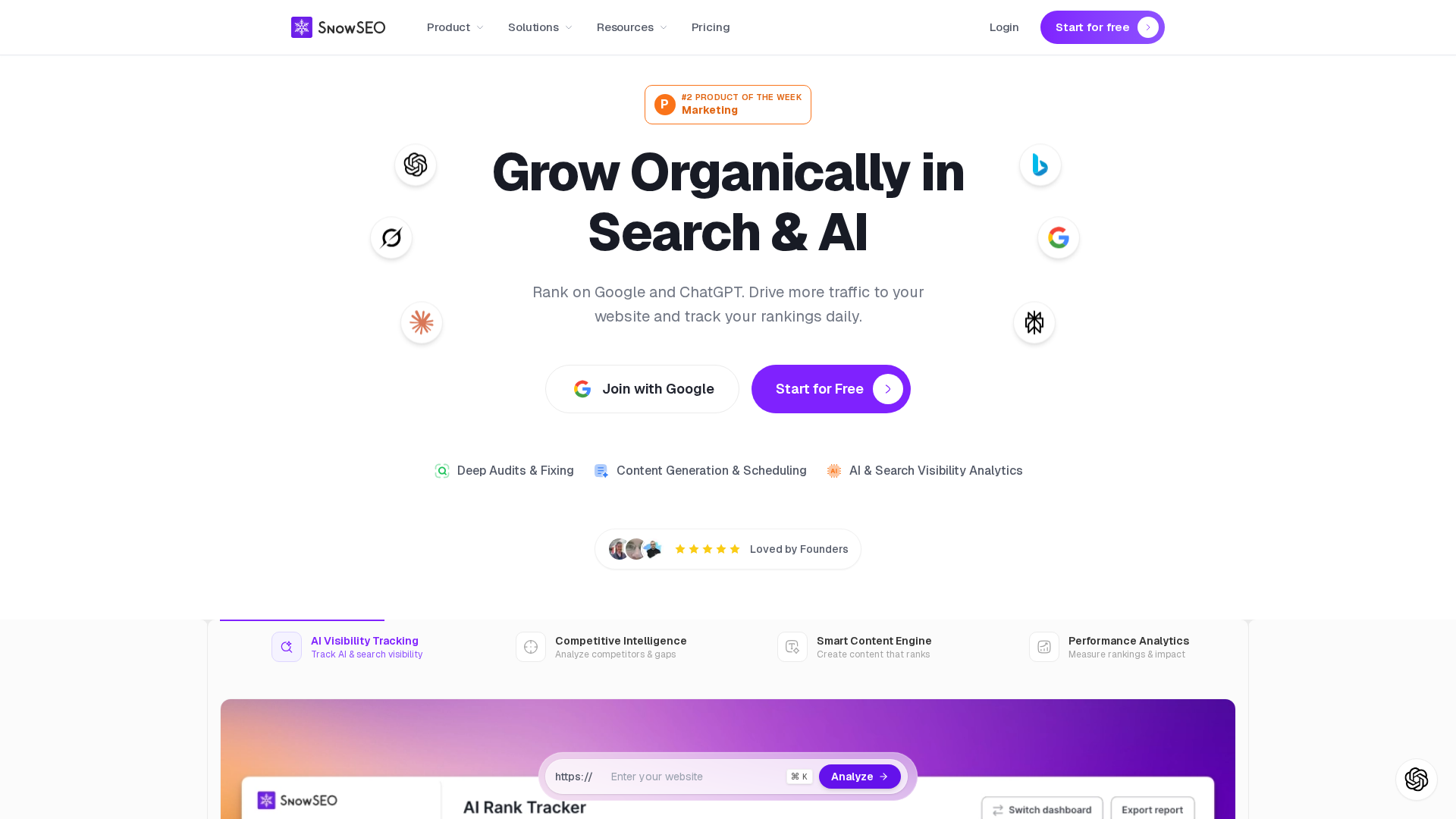
    Turn AI visibility data into clear actions. Track rankings, audits, and content gaps with SnowSEO.

    Frequently Asked Questions

    Q1: How does SnowSEO’s rank tracking feature compare to Ahrefs and SEMrush in AI search visibility?

    SnowSEO focuses on AI platform visibility alongside search tracking. Semrush and Ahrefs remain strong for classic rankings, while SnowSEO ties AI mentions to audits, content work, and next actions.

    Q2: Can I track ChatGPT visibility by keyword?

    Yes. Track prompts that reflect buyer questions, product terms, and category needs. Review brand mentions, cited sources, and competitor presence over time.

    Q3: Which metrics should agencies report first?

    Report AI mention rate, prompt coverage, share versus competitors, source citations, and change over time. Pair each metric with a clear content or technical action.

    Conclusion

    Choose SnowSEO for metric-led action in one workflow. Choose Semrush for broad prompt benchmarking, which tracks daily AI visibility.